TokeUI Theme
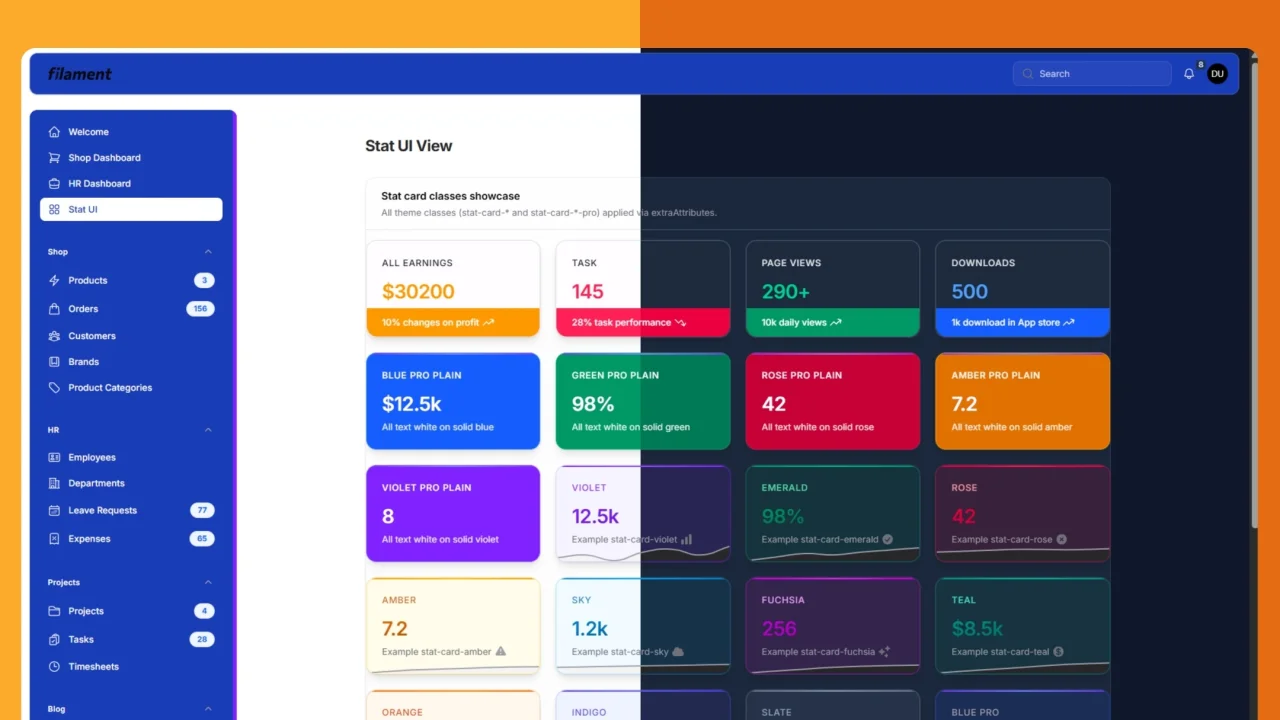
A professional theme with blue sidebar and topbar, plus stat card variants. Full light and dark mode support.
 Author:
Parfait TOKE
Author:
Parfait TOKE
Documentation
- Table of contents
- Requirements
- Features
- Installation
- Stat Overview — extraAttributes and classes
- Appearance
- License
A professional light and dark theme for Filament PHP.
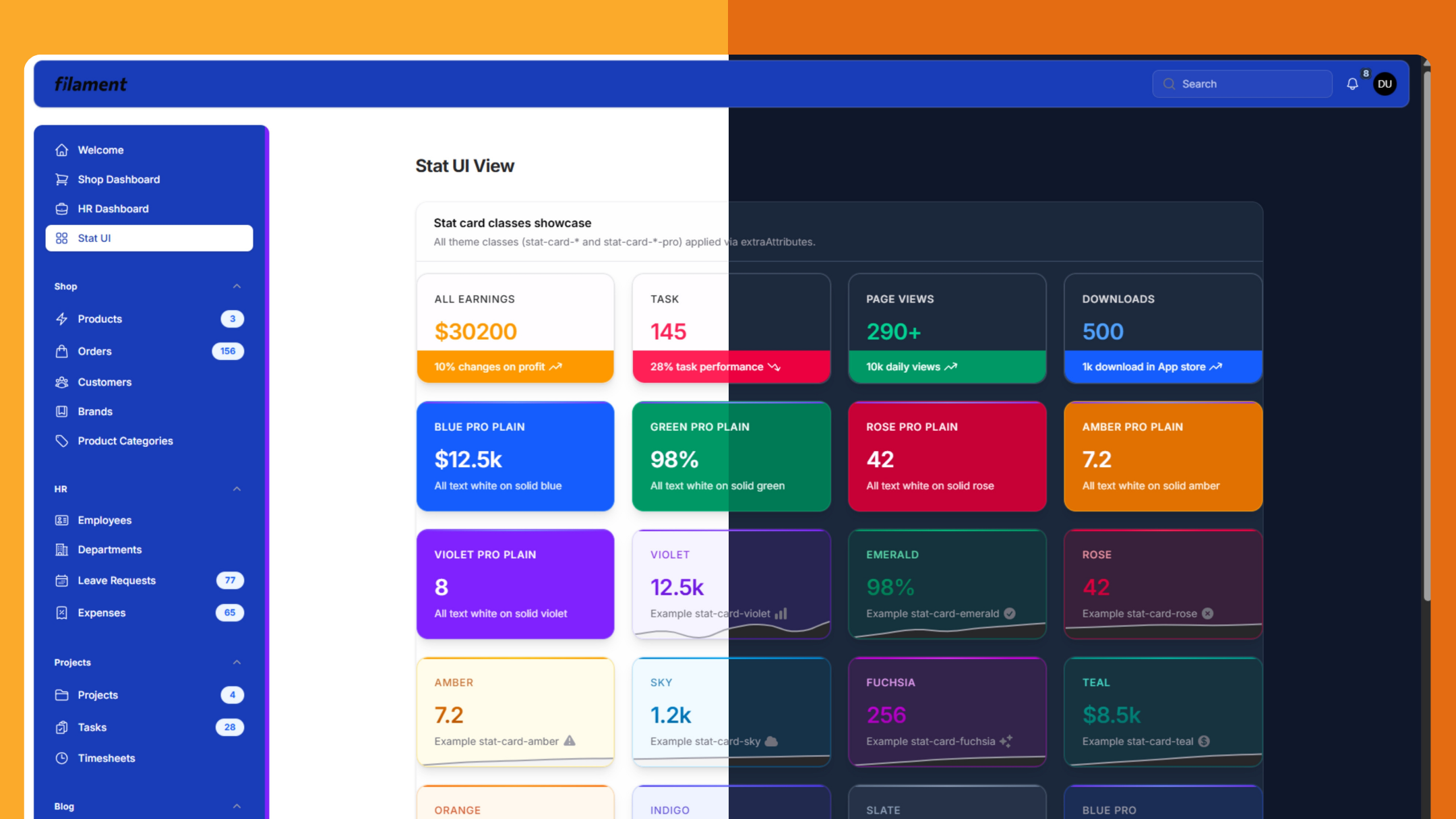
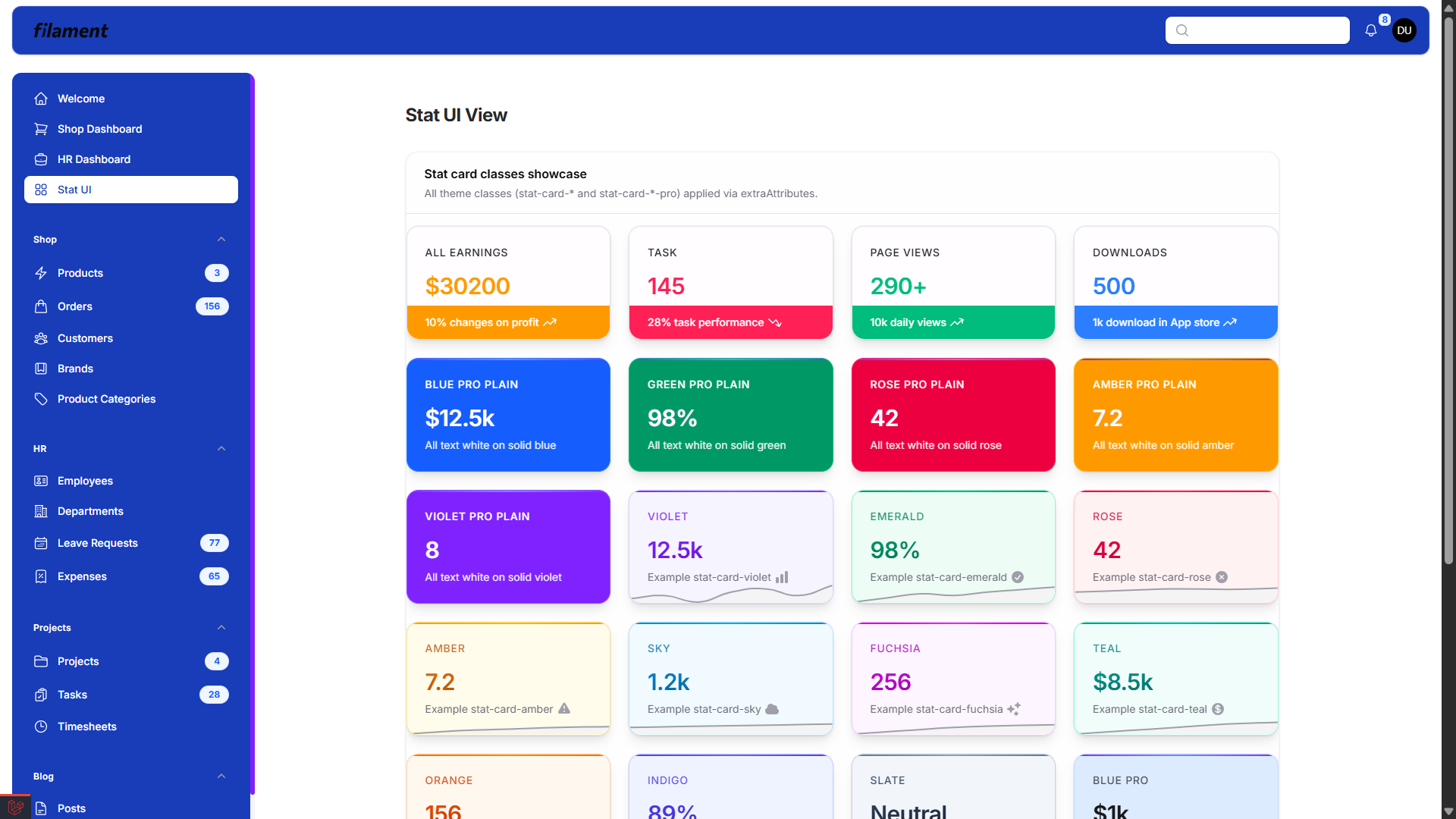
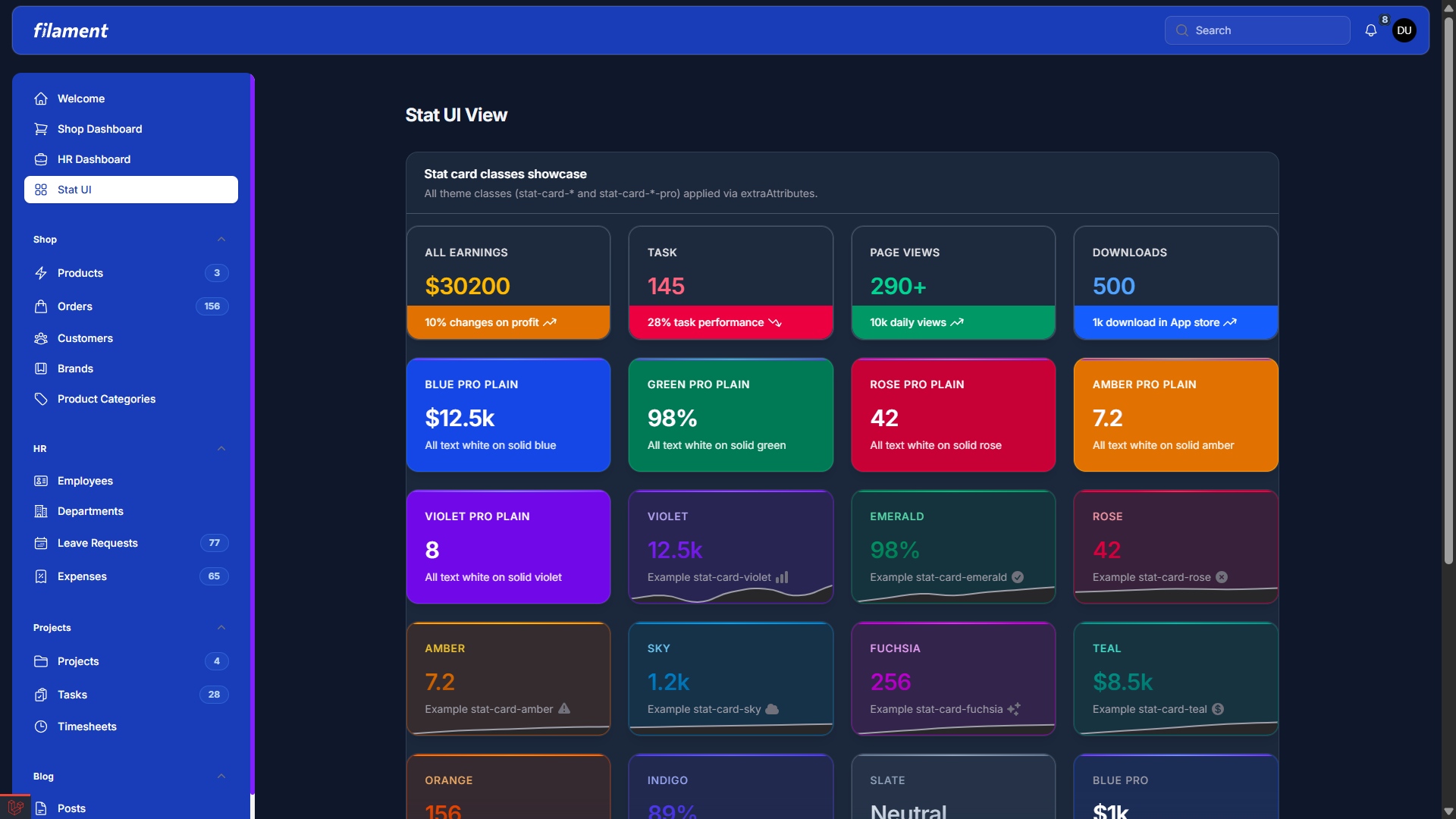
| Dashboard Light | Dashboard Dark |
|---|---|
 |
 |
#Table of contents
#Requirements
- PHP 8.2+
- Filament 4 or 5
- Laravel (version compatible with your Filament version)
#Features
- Professional blue sidebar and topbar — Same look in light and dark mode.
- Stat card variants — Colored, pro, bar, and pro plain; use via
extraAttributeson Stats Overview widgets. - Full light and dark mode support — Consistent styling across themes.
- Install via Composer — After purchase on AnyStack, install the package with Composer and register the plugin on your panel.
#Installation
#Activating Your License on AnyStack
TokeUI Theme uses AnyStack to handle payment, licensing, and distribution. You can buy it here.
During the purchasing process, AnyStack will provide you with a license key. Once your license key is activated, you can proceed with the Composer installation described below.
#Installing with Composer
Add the TokeUI Theme package to the repositories section of your composer.json file:
{
  "repositories": [
    {
      "type": "composer",
      "url": "https://tokeui-filament-theme.composer.sh"
    }
  ]
}
Once the repository has been added to the composer.json file, you can install like any other Composer package using the composer require command:
composer require tokeui/filament-tokeui-theme
Next, you will be prompted to provide your username and password.
Loading composer repositories with package information
Authentication required (tokeui-filament-theme.composer.sh):
Username: [license-email]
Password: [license-key]
Your username will be your email address and the password will be your license key. For example, let's say we have the following email and license activation:
Contact email: your@email.com
License key: 04c21df8f-4890-7024-y2vk-6bny143ta642
You will need to enter the above information as follows when prompted for your credentials:
Loading composer repositories with package information
Authentication required (tokeui-filament-theme.composer.sh):
Username: your@email.com
Password: 04c21df8f-4890-7024-y2vk-6bny143ta642
Configure Vite in your vite.config.js:
a) Add the alias — The theme imports Filament's base CSS. Add to resolve.alias (and import path from 'path' at the top if needed):
import path from "path";

export default defineConfig({
  resolve: {
    alias: {
      "filament-base-theme": path.resolve(
        __dirname,
        "vendor/filament/filament/resources/css/theme.css",
      ),
    },
  },
  // ...
});
b) Add the theme to the build — Add a new item to the input array of your Laravel Vite plugin:
input: [
    'resources/css/app.css',
    'resources/js/app.js',
    'vendor/tokeui/filament-tokeui-theme/resources/css/theme.css',
],
Run:
npm run build
Register the plugin on your panel (e.g. app/Providers/Filament/AdminPanelProvider.php):
use TokeUI\FilamentTokeUITheme\FilamentTokeUIThemePlugin;

public function panel(Panel $panel): Panel
{
    return $panel
        // ...
        ->plugin(FilamentTokeUIThemePlugin::make());
}
The plugin registers the theme via vendor/tokeui/filament-tokeui-theme/resources/css/theme.css. Use npm run dev during development.
You're all set!
#Stat Overview — extraAttributes and classes
Filament Stats Overview widgets support HTML attributes on each stat card via ->extraAttributes(['class' => '...']). TokeUI Theme provides predefined classes so you can style cards by type (e.g. success, warning, or a solid "pro" look).
#Usage
On each Stat in your widget, pass one class per card:
use Filament\Widgets\StatsOverviewWidget\Stat;

Stat::make('Revenue', '$12.5k')
    ->description('This month')
    ->extraAttributes(['class' => 'stat-card-emerald']);
Use a single class per card (e.g. stat-card-rose, stat-card-blue-pro, or stat-card-blue-pro-plain).
#Colored variants (gradient value, colored label)
| Class | Appearance |
|---|---|
stat-card-violet |
Pastel violet background, violet bar and value |
stat-card-emerald |
Green (success) |
stat-card-rose |
Rose / danger |
stat-card-amber |
Amber / warning |
stat-card-sky |
Sky blue / info |
stat-card-fuchsia |
Fuchsia |
stat-card-teal |
Teal |
stat-card-orange |
Orange |
stat-card-indigo |
Indigo |
stat-card-slate |
Neutral grey/slate |
#"Pro" variants (pastel background, neutral value/label, accent on bar and description)
| Class | Appearance |
|---|---|
stat-card-blue-pro |
Pastel blue, neutral text, blue accent |
stat-card-green-pro |
Pastel green |
stat-card-rose-pro |
Pastel rose |
stat-card-amber-pro |
Pastel amber |
stat-card-violet-pro |
Pastel violet |
stat-card-sky-pro |
Pastel sky blue |
#"Bar" variants (accent bar at bottom, white text in bar)
| Class | Appearance |
|---|---|
stat-card-bar-orange |
Orange value, orange bottom bar, white text in bar |
stat-card-bar-rose |
Rose |
stat-card-bar-emerald |
Emerald |
stat-card-bar-blue |
Blue |
#"Pro plain" variants (solid background, all text white)
| Class | Appearance |
|---|---|
stat-card-blue-pro-plain |
Solid blue background, value/label/description in white |
stat-card-green-pro-plain |
Solid green |
stat-card-rose-pro-plain |
Solid rose |
stat-card-amber-pro-plain |
Solid amber |
stat-card-violet-pro-plain |
Solid violet |
#Appearance
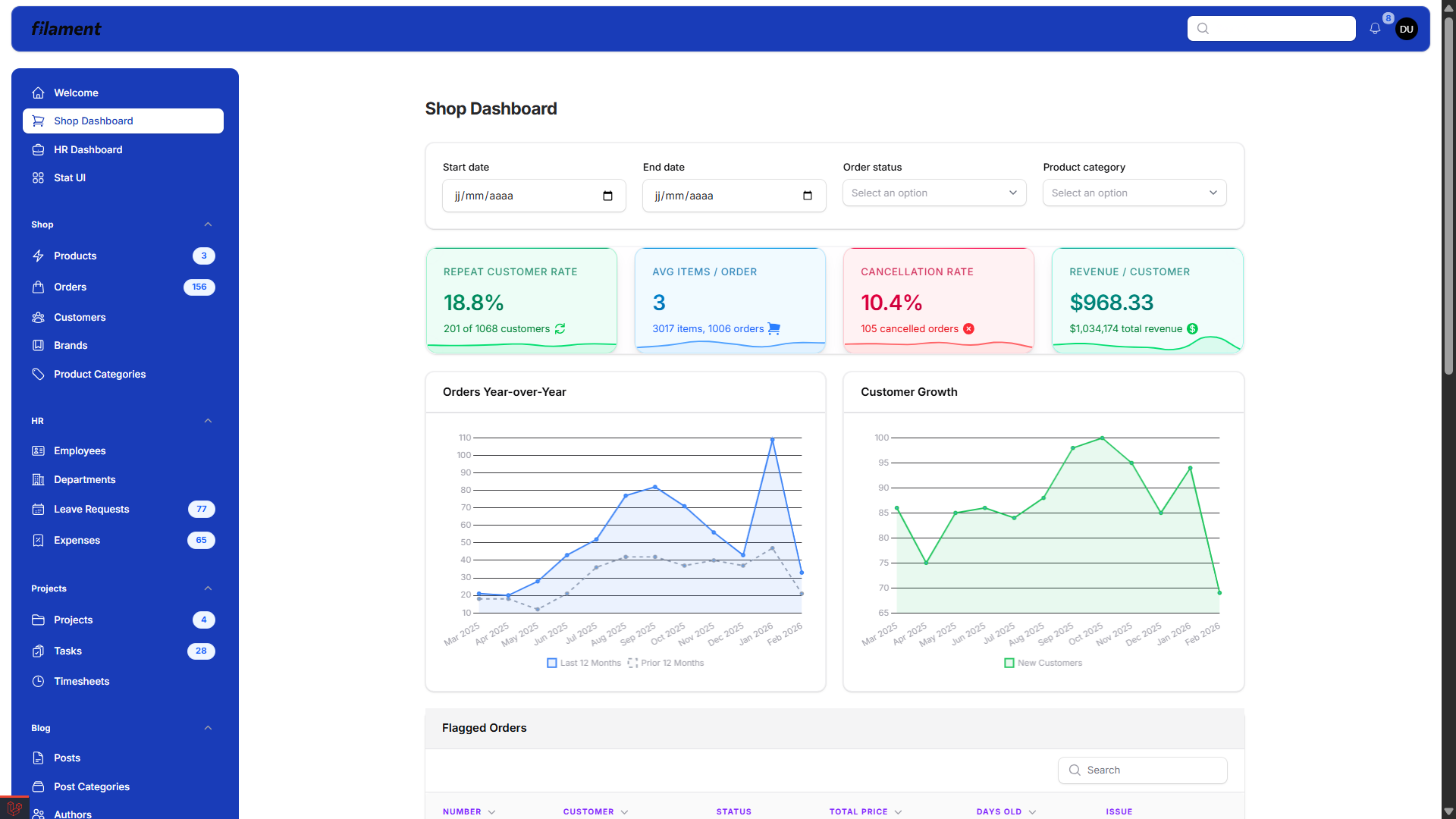
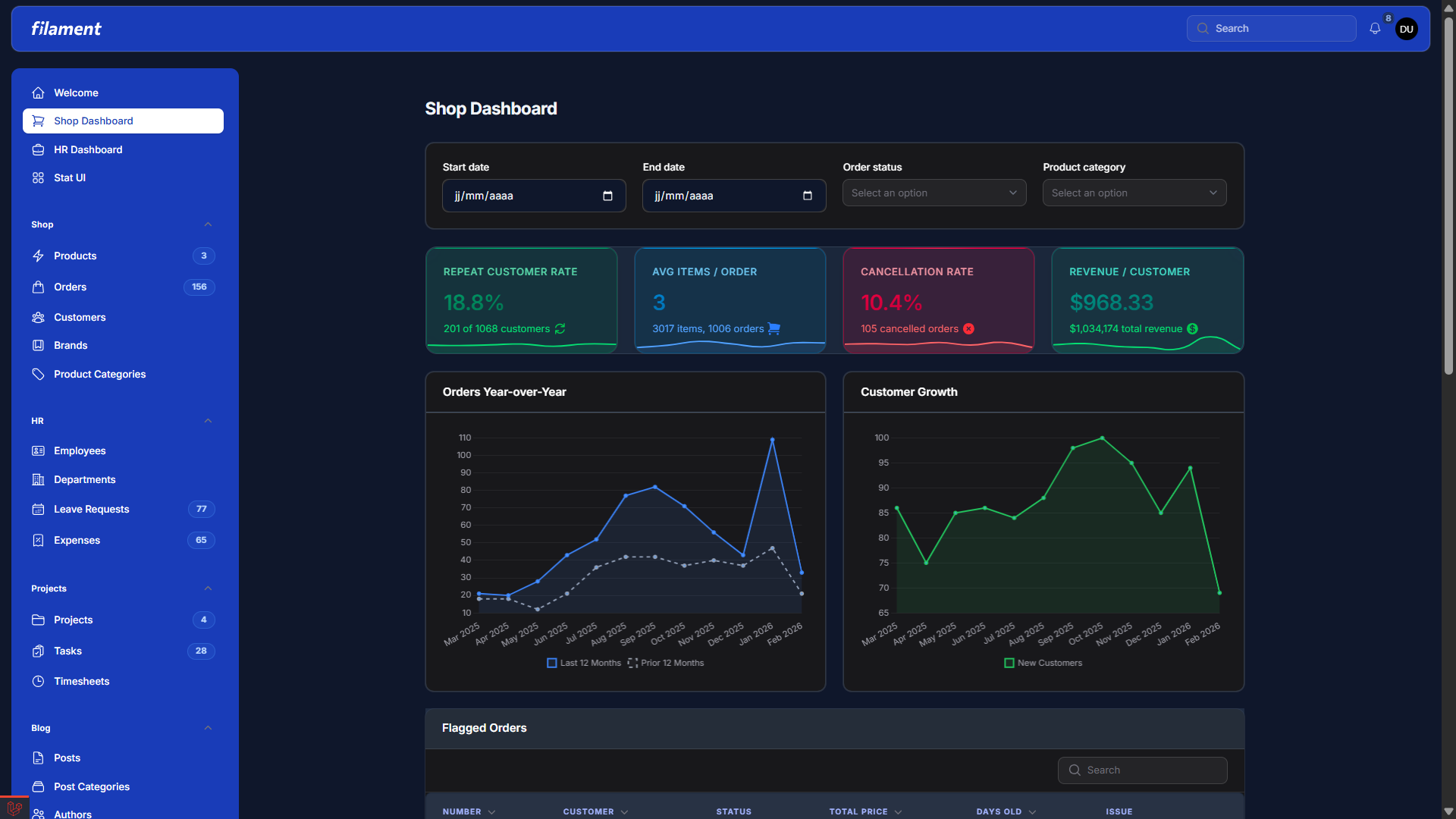
The theme is shown below in both light and dark mode.
#Shop Dashboard
| Light | Dark |
|---|---|
|
|
#HR Dashboard
| Light | Dark |
|---|---|
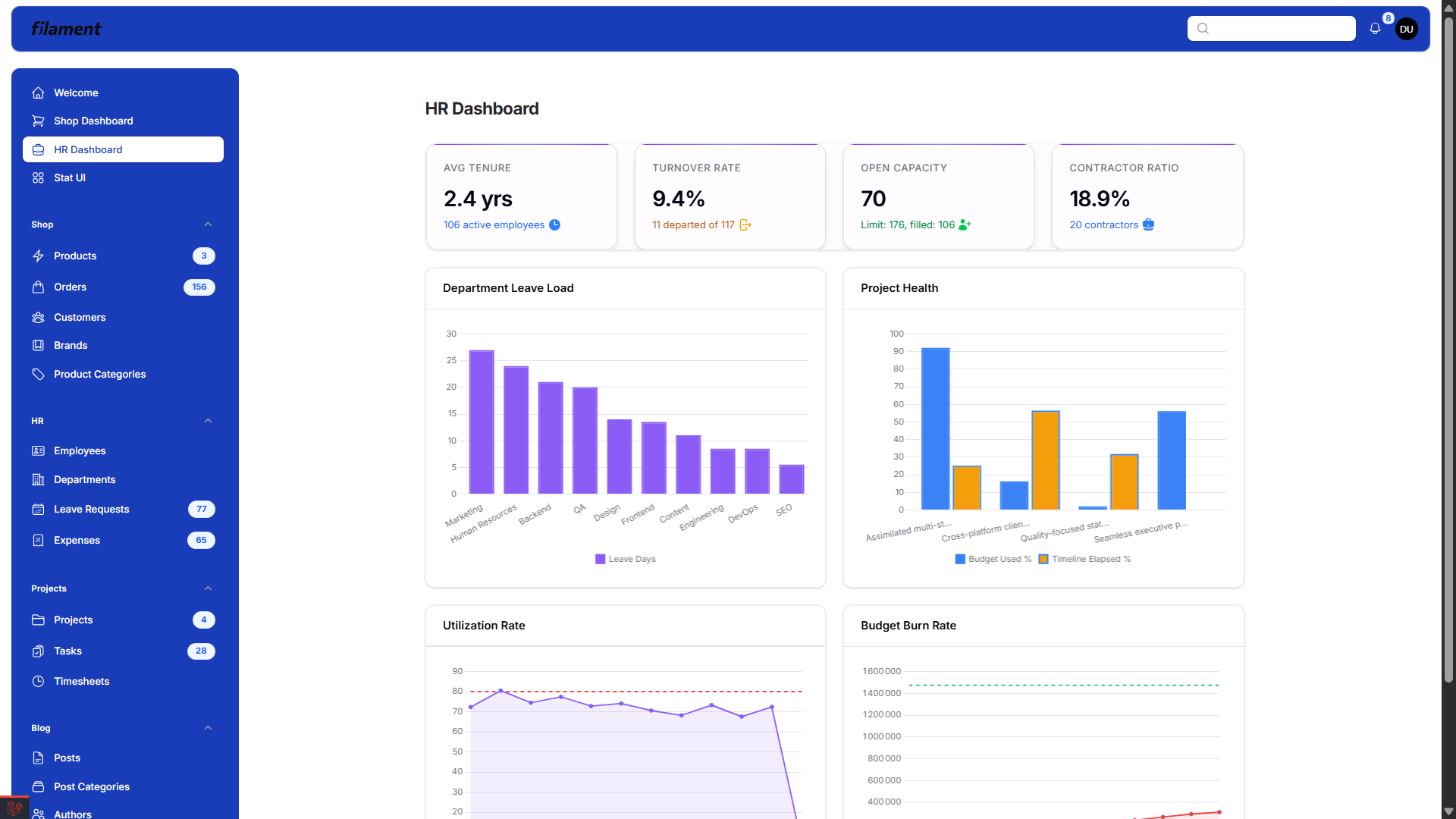 |
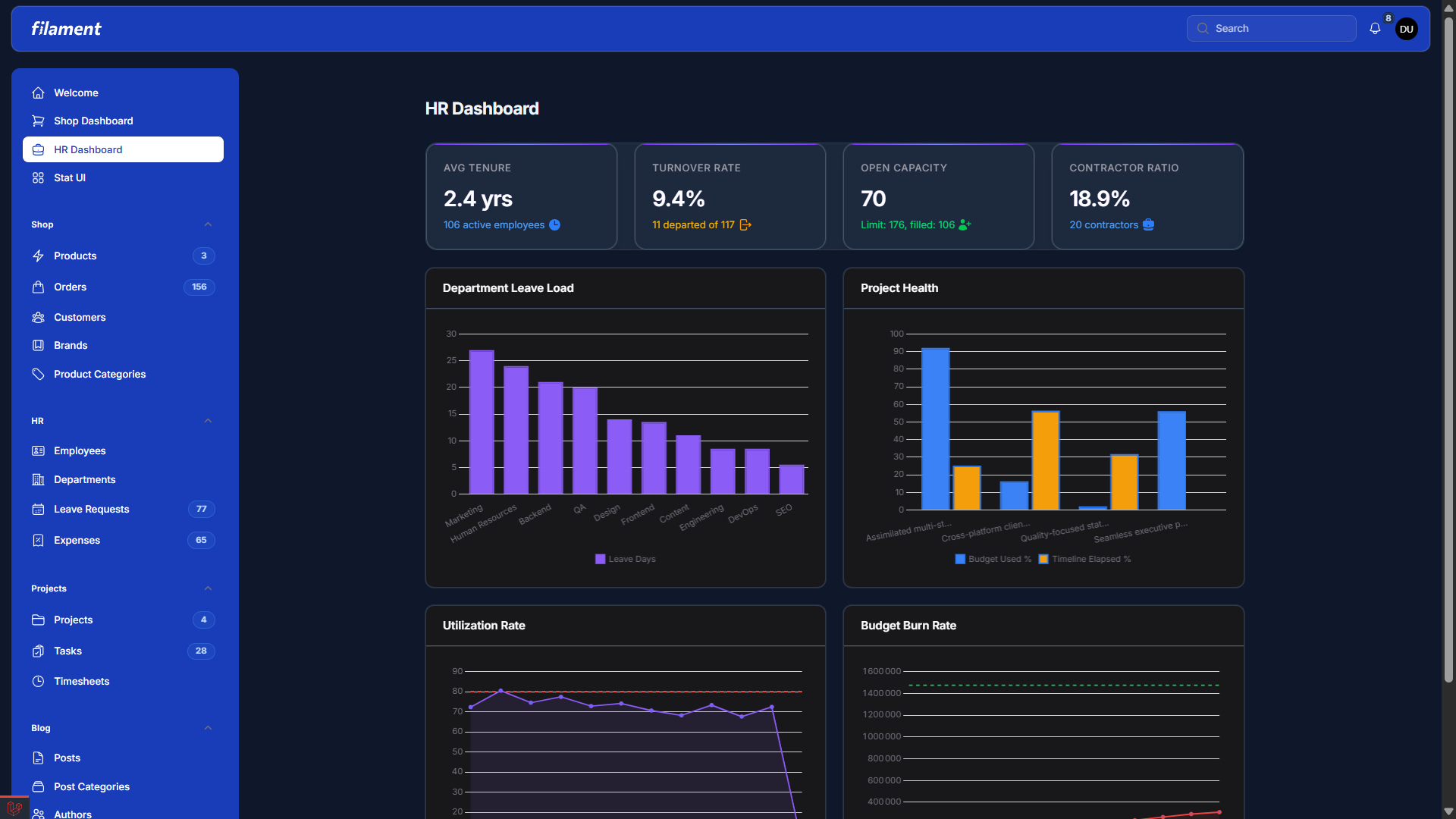 |
#Stat UI View
| Light | Dark |
|---|---|
 |
 |
#Stat cards grid
| Light | Dark |
|---|---|
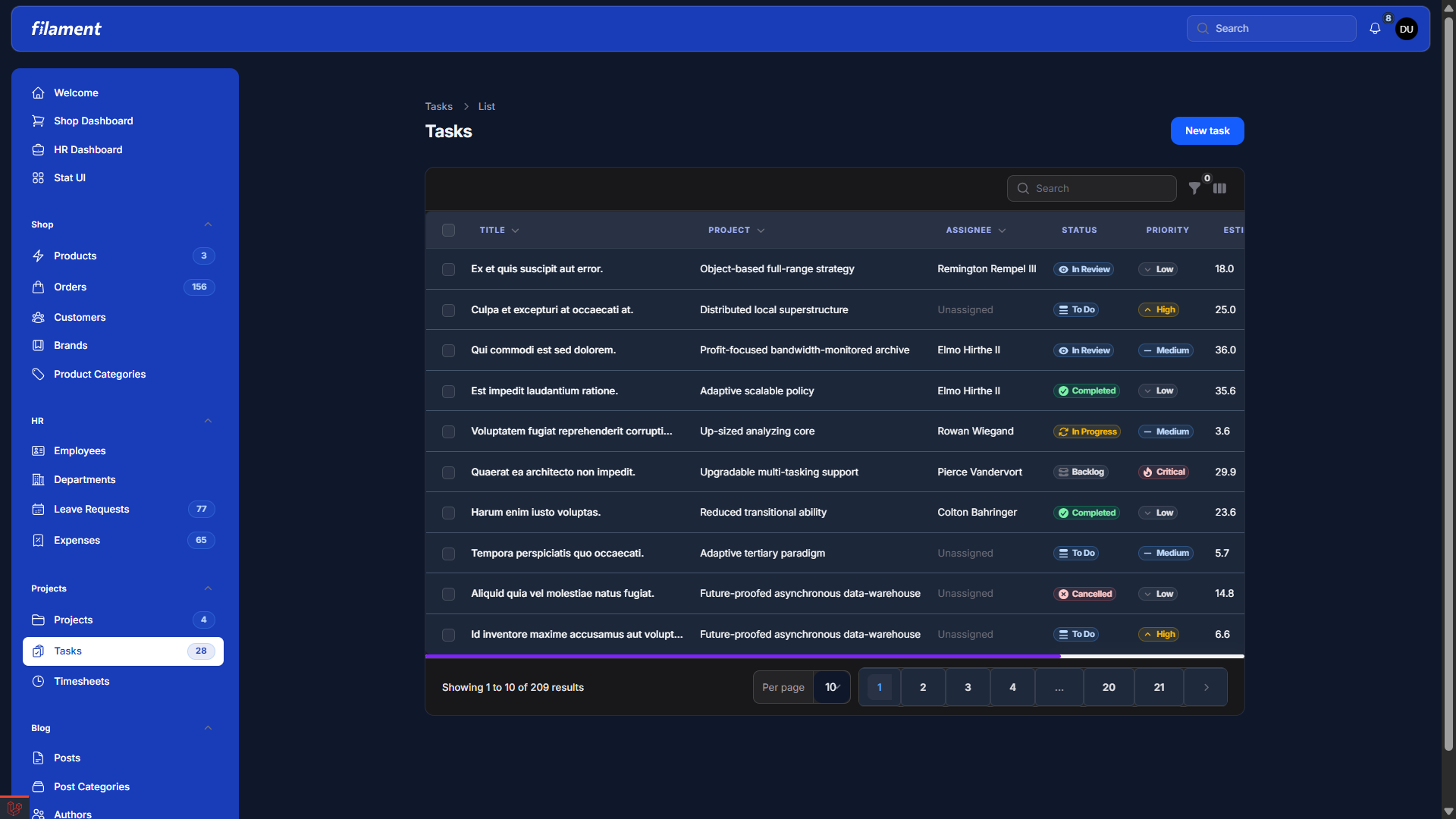 |
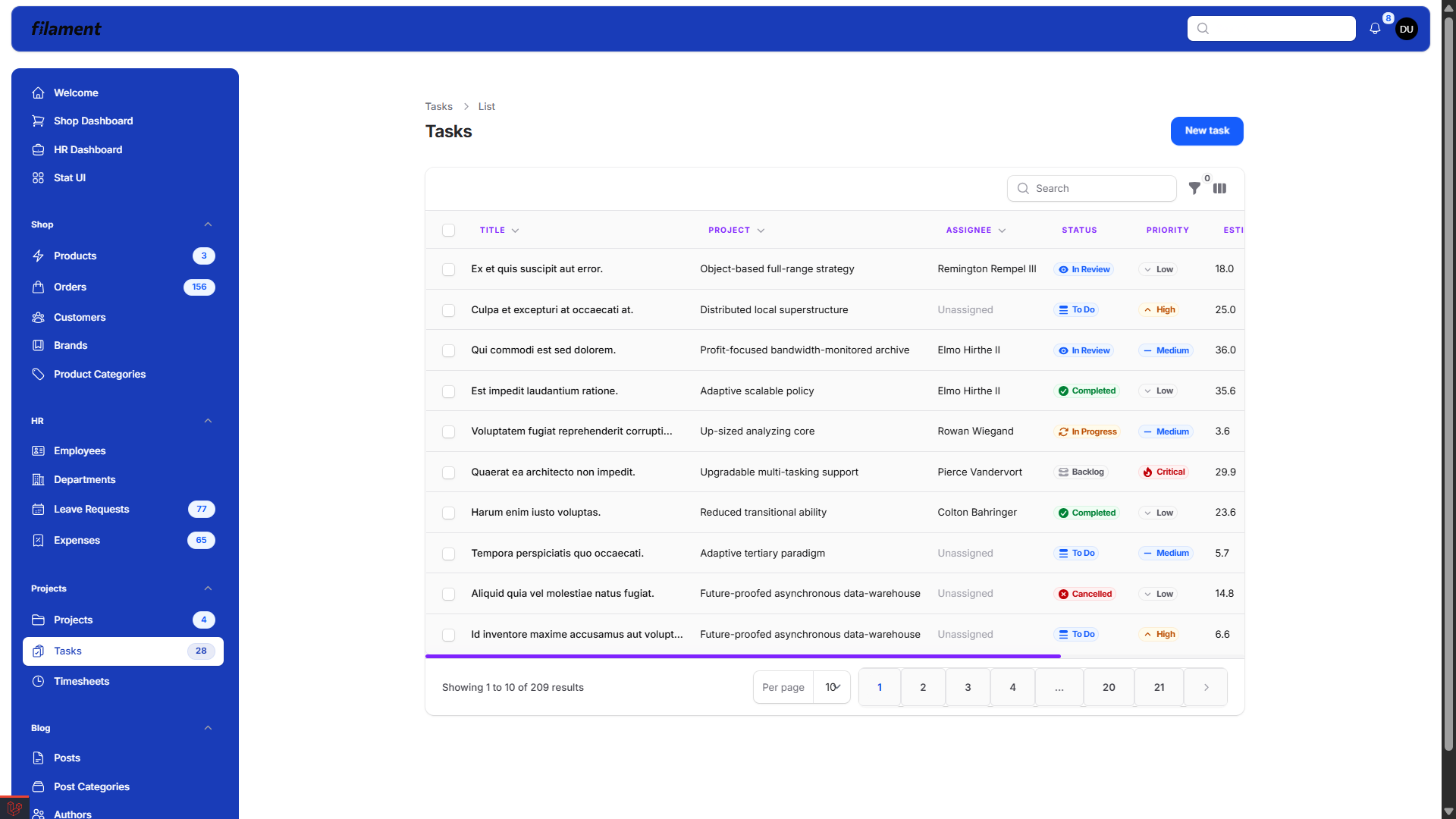 |
#Notifications and stat cards
| Light | Dark |
|---|---|
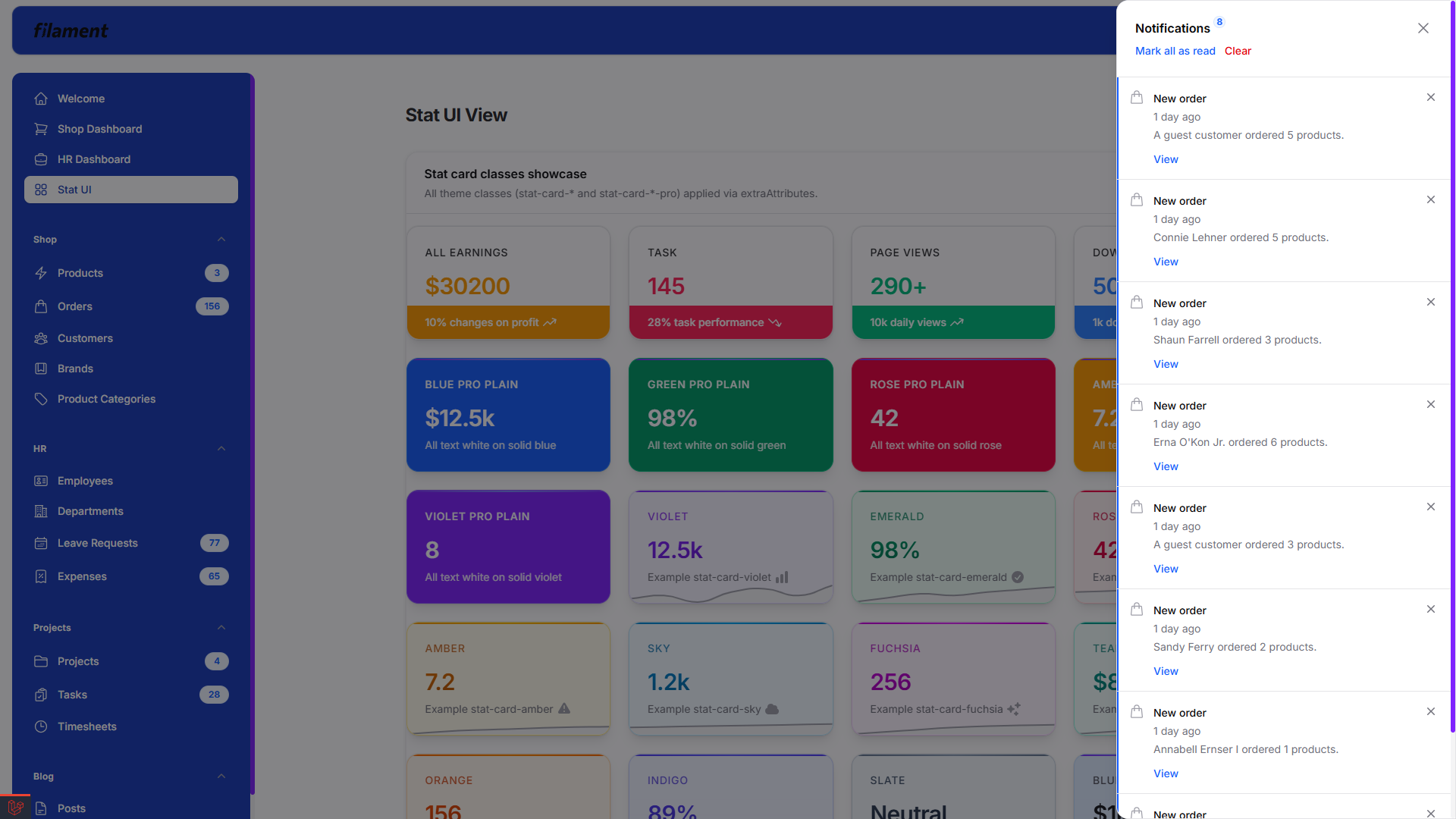 |
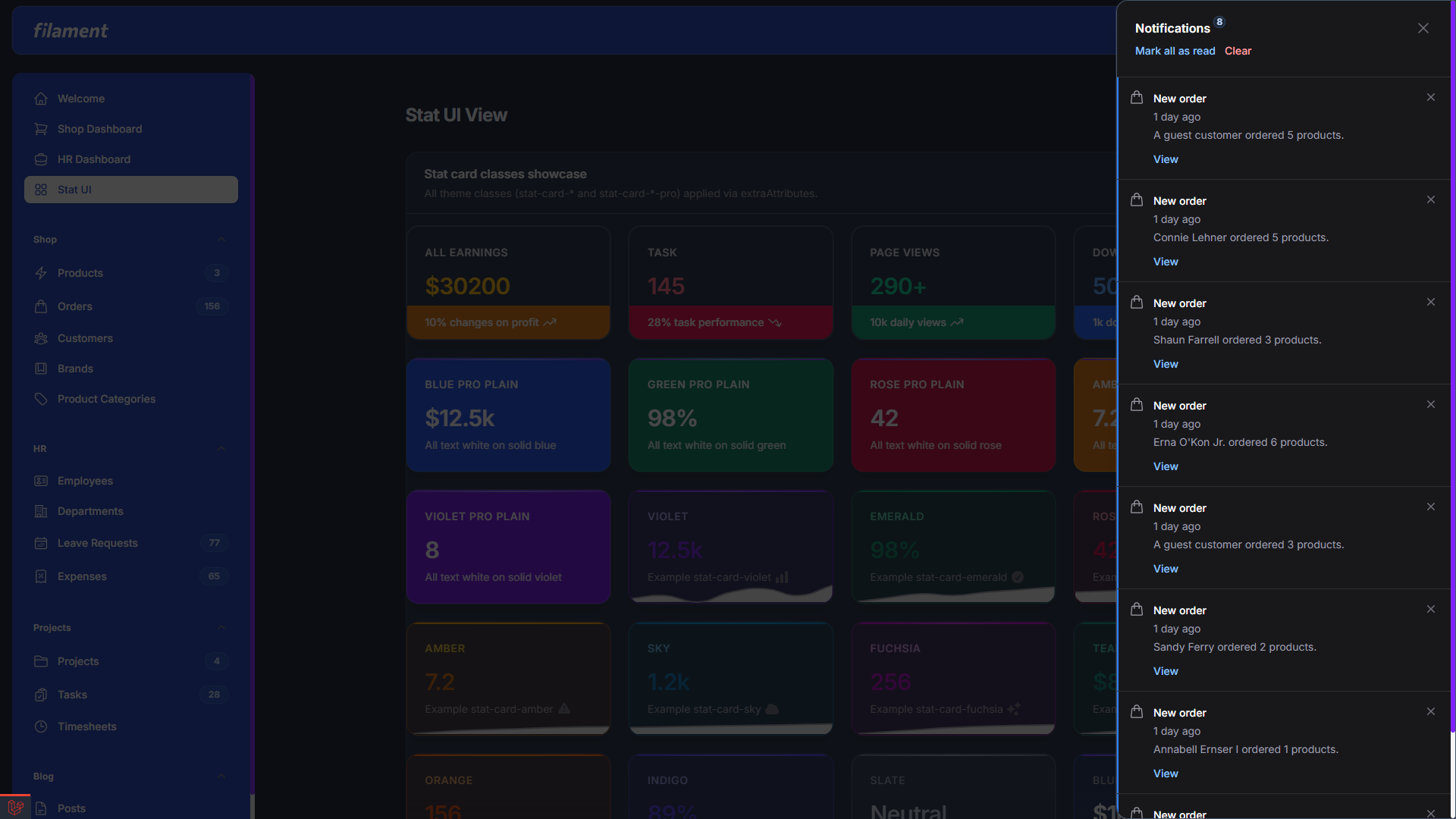 |
#License
Proprietary. Use is subject to the license provided with your purchase.
The author
Featured Plugins
A selection of plugins curated by the Filament team

Custom Dashboards
Let your users build and share their own dashboards with a drag-and-drop interface. Define your data sources in PHP and let them do the rest.
 Filament

Advanced Tables (formerly Filter Sets)
Supercharge your tables with powerful features like user-customizable views, quick filters, multi-column sorting, advanced table searching, convenient view management, and more. Compatible with Resource Panel Tables, Relation Managers, Table Widgets, and Table Builder!
 Kenneth Sese

Data Lens
Advanced Data Visualization for Laravel Filament - a premium reporting solution enabling custom column creation, sophisticated filtering, and enterprise-grade data insights within admin panels.
 Padmission

