
Settings by Damodar Bhattarai
CommunityA tabbed settings management page for Filament panels featuring smart field types, a permission-gated modify mode, and automatic default seeding.
 Author:
Damodar Bhattarai
Author:
Damodar Bhattarai
Package health
Automated checks of this plugin's Composer package
15 checks
- Skipped: GitHub Actions pinned to SHA
- Skipped: GitLab CI includes pinned to SHA
- Passed: Open security advisories
- Passed: Dependabot PR responsiveness — No open Dependabot PRs.
- Skipped: Renovate MR responsiveness
- Skipped: Dependabot or Renovate configured
- Skipped: Dependency update cooldown configured
- Failed: Provides a security policy — View details on Plumb
- Passed: Abandoned or archived — No consulted source marks the package abandoned (packagist, github).
- Passed: Commit and release recency — Active: last commit 39 days ago; last release 39 days ago.
-
Passed:
composer.lock not committed by library
—
composer.lockis absent from the released dist archive. - Passed: Dist archive is lean
-
Passed:
Current Laravel version supported
—
Package dependencies resolve together with current Laravel
13.0. -
Passed:
Current PHP version supported
—
Constraint
^8.2supports current PHP8.5. - Skipped: Current Symfony version supported
filament/
namespace. Review the source and install at your own risk. Found
malware or an unresolved security issue the author won't
address?
Report it
.
Documentation



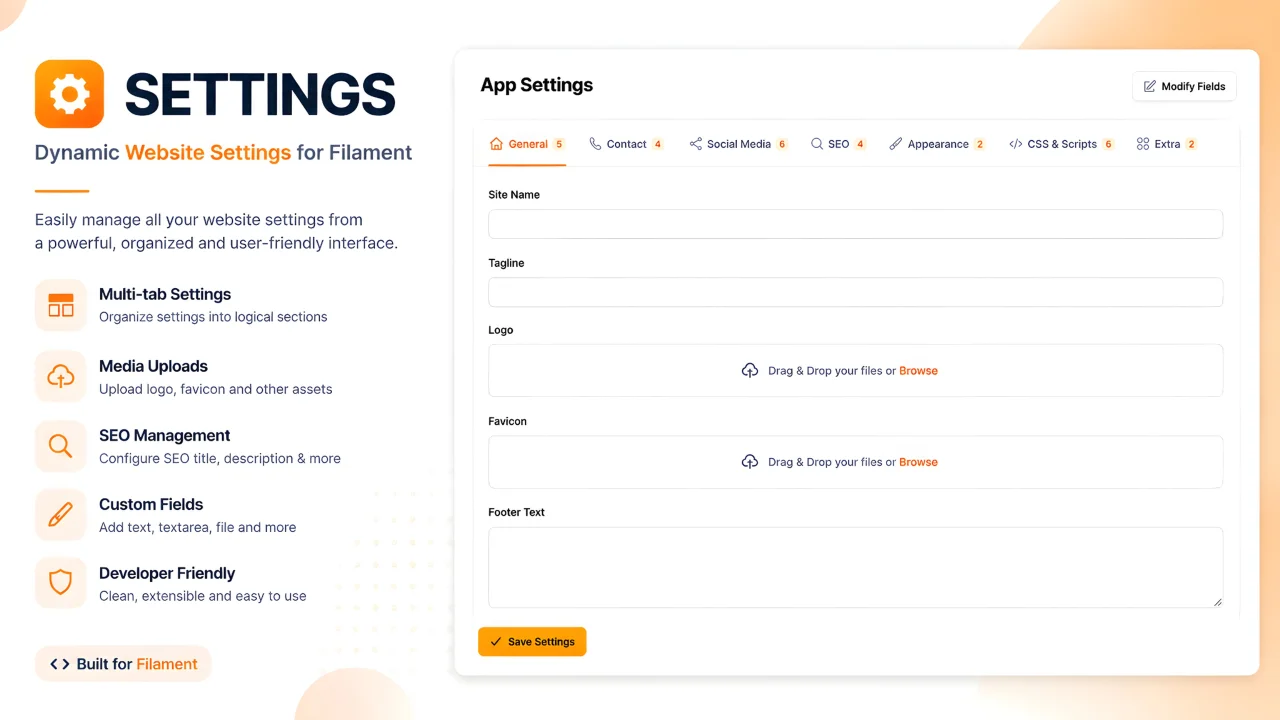
A powerful, tabbed settings management page for your Filament panel that lets you manage all your website settings — general info, social links, SEO, appearance, custom CSS/JS — from one beautiful interface.
#Features
- 📑 Tabbed Interface — Settings organized into 6 default tabs: General, Contact, Social Media, SEO, Appearance, CSS & Scripts
- 🎛️ Smart Field Types — Automatically renders the right input based on setting type: text, textarea, image upload, file upload, color picker, toggle (switch), checkbox
- 🔧 Modify Fields Mode — Permission-gated mode to add new settings, delete existing ones, reorder fields, edit labels, and move settings between tabs
- 🎨 CSS & Scripts — Dedicated tab with side-by-side CSS and JavaScript editors for Header, Body, and Footer sections
- 🔐 Flexible Authorization — Control who can modify fields via plugin callback, Laravel Gate, or config
- 📦 Auto-Seeding — Default settings are automatically seeded on first page load
- ⚡ Cache-Aware — Automatically clears the settings cache after every save
- 🌗 Dark Theme Support — Fully compatible with Filament's dark mode
#Requirements
- PHP 8.2+
- Laravel 10, 11, or 12
- Filament v4 or v5
damodar-bhattarai/settingspackage
#Installation
#Step 1: Install via Composer
composer require damodar-bhattarai/filament-settings
This will also install the damodar-bhattarai/settings base package if not already installed. The plugin automatically copies and runs all required migrations on the first page load!
#Step 2: Register the Plugin
Add the plugin to your Filament panel provider (e.g., app/Providers/Filament/AdminPanelProvider.php):
use DamodarBhattarai\FilamentSettings\FilamentSettingsPlugin;

public function panel(Panel $panel): Panel
{
    return $panel
        // ... your other configuration
        ->plugins([
            FilamentSettingsPlugin::make(),
        ]);
}
#Step 3: Publish Config (Optional)
php artisan vendor:publish --tag="filament-settings-config"
That's it! Navigate to Settings → App Settings in your panel.
#Usage
#Editing Settings
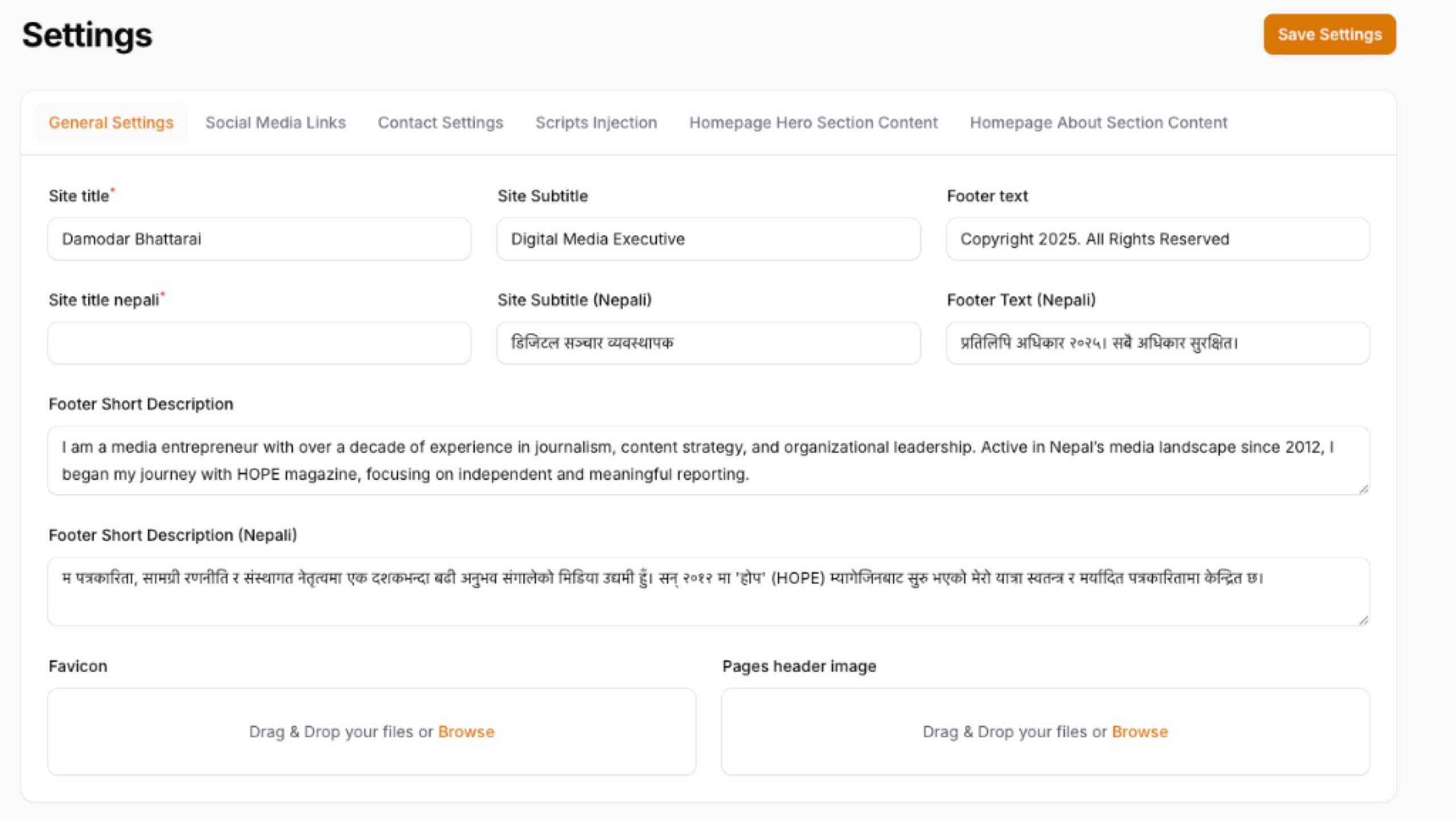
Simply visit the App Settings page, modify the values across any tab, and click Save Settings. All changes are persisted to the database and the settings cache is automatically cleared.
#Using Settings in Your Application
Retrieve saved settings anywhere in your application using the base package's helpers:
// Get a single setting value
$siteName = settings('site_name');

// Get with a default fallback
$logo = settings('logo', 'default-logo.png');

// Get all settings as a collection
$all = settings();
#Modify Fields Mode
Click the "Modify Fields" button in the page header to enter Modify Mode. This mode is permission-gated and allows you to:
| Action | Description |
|---|---|
| Add Setting | Create a new setting with a key, label, type, and target tab |
| Add Tab | Create a new tab group for organizing settings |
| Delete Setting | Remove a setting permanently (with confirmation) |
| Move Setting | Move a setting from one tab to another |
| Edit Label | Rename a setting's display label |
| Reorder | Move settings up or down within a tab |
Click "Exit Modify Mode" to return to value-only editing.
#Configuration
#Plugin Options
Customize the plugin behavior using the fluent API:
FilamentSettingsPlugin::make()
    // Navigation
    ->navigationIcon('heroicon-o-cog-6-tooth')
    ->navigationGroup('Settings')
    ->navigationLabel('App Settings')
    ->navigationSort(100)

    // Page
    ->pageTitle('App Settings')
    ->slug('app-settings')

    // Authorization
    ->canModifyFields(true)
#Authorization
Control who can access the Modify Fields mode using one of three methods:
#Option 1: Plugin Callback (Recommended)
Best for role-based access. Works with any permission package (Spatie, Bouncer, etc.):
FilamentSettingsPlugin::make()
    ->canModifyFields(fn () => auth()->user()->hasRole('super_admin'))
#Option 2: Laravel Gate
Define a gate in your AuthServiceProvider or any service provider:
use Illuminate\Support\Facades\Gate;

Gate::define('modify-settings-fields', function ($user) {
    return $user->hasRole('admin');
});
#Option 3: Config File
Set a static boolean in config/filament-settings.php:
'can_modify_fields' => true,
Resolution priority: Plugin callback → Laravel Gate → Config default.
#Programmatic Control from Other Packages
Other packages can control the Modify Fields capability at runtime:
use DamodarBhattarai\FilamentSettings\FilamentSettingsPlugin;

// Disable modify mode
FilamentSettingsPlugin::get()->canModifyFields(false);

// Enable conditionally
FilamentSettingsPlugin::get()->canModifyFields(
    fn () => app('some-package')->allowsSettingsModification()
);
#Default Tabs & Settings
The plugin ships with 6 pre-configured tabs. Customize them in config/filament-settings.php:
| Tab | Default Settings |
|---|---|
| General | Site Name, Tagline, Logo, Favicon, Footer Text |
| Contact | Email, Phone, Address, Map Embed URL |
| Social Media | Facebook, Twitter/X, Instagram, YouTube, LinkedIn, TikTok |
| SEO | Meta Title, Meta Description, Meta Keywords, Google Analytics ID |
| Appearance | Primary Color, Secondary Color |
| CSS & Scripts | Header/Body/Footer CSS and Scripts (side-by-side layout) |
You can add, remove, or modify any of these in the config file. Any groups created via the UI are also automatically displayed.
#Supported Field Types
| Type | Component | Description |
|---|---|---|
text |
TextInput | Single-line text input |
textarea |
Textarea | Multi-line text area with autosize |
image |
FileUpload | Image upload with preview |
file |
FileUpload | General file upload |
color |
ColorPicker | Color picker with hex output |
switch |
Toggle | On/off toggle switch |
checkbox |
Checkbox | Checkbox input |
#Custom Config Example
// config/filament-settings.php

'default_settings' => [
    'general' => [
        'label' => 'General',
        'icon' => 'heroicon-o-home',
        'sort' => 1,
        'settings' => [
            [
                'key' => 'site_name',
                'type' => 'text',
                'label' => 'Site Name',
                'value' => 'My Website',
            ],
            [
                'key' => 'maintenance_mode',
                'type' => 'switch',
                'label' => 'Maintenance Mode',
                'value' => false,
            ],
            // Add more settings...
        ],
    ],
    // Add more tabs...
],
#Changelog
Please see CHANGELOG for more information on recent changes.
#Contributing
Contributions are welcome! Please feel free to submit a Pull Request.
#Credits
#License
The MIT License (MIT). Please see License File for more information.
The author
I am a Laravel and PHP developer from Nepal with a passion for building modern, scalable web applications. My work primarily focuses on Laravel, Livewire, Alpine.js, and FilamentPHP, where I develop administrative panels, business management systems, and SaaS solutions.
I enjoy creating tools and plugins that simplify development workflows and improve productivity for other developers. Through open-source contributions, I aim to build practical, well-maintained solutions that help the Laravel and Filament communities solve real-world problems more efficiently.
Featured Plugins
A selection of plugins curated by the Filament team

Soft Theme
A theme that gives panels a warm, approachable look with rounded shapes, gentle colors, and serif headings.
 Filament

Blueprint
Filament Blueprint is a premium Laravel Boost extension that helps AI agents produce accurate, detailed implementation plans and security reports for Filament apps.
Filament

Advanced Tables (formerly Filter Sets)
Supercharge your tables with powerful features like user-customizable views, quick filters, multi-column sorting, advanced table searching, convenient view management, and more. Compatible with Resource Panel Tables, Relation Managers, Table Widgets, and Table Builder!
 Kenneth Sese

