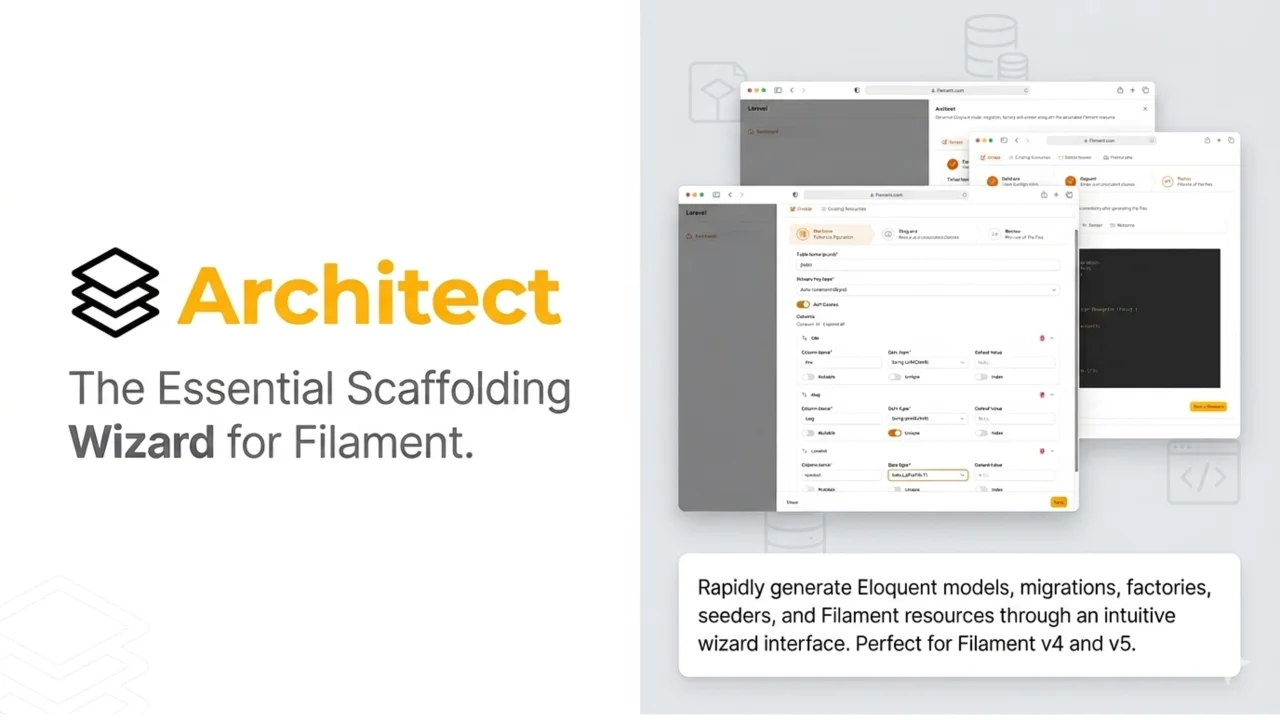
Architect
A step-by-step plugin wizard to generate models, migrations, factories, seeders and Filament resources straight from your Filament panel.
 Author:
Cristian Iosif
Author:
Cristian Iosif
Documentation
- Features
- Requirements
- Installation
- Configuration
- Usage
- Generated Files
- Development
- Architecture
- Advanced Usage
- Troubleshooting
- Performance Considerations
- Roadmap
- Security Considerations
- Contributing
- Support
- Changelog
- License
- Credits
- Made with ❤️ for the Laravel/Filament Community
A powerful Filament plugin that enables rapid scaffolding and generation of Eloquent models, migrations, factories, seeders, and Filament resources through an intuitive wizard interface.




#Features
✨ Interactive Wizard Interface - A beautiful, user-friendly step-by-step wizard for defining your database schema
🗄️ Auto-Generate Resources - Automatically create:
- Eloquent Models
- Database Migrations
- Model Factories
- Database Seeders
- Filament Resources (Create, Read, Update, Delete pages)
⚙️ Smart Configuration - Define your schema with visual tools including:
- Column definitions with type validation
- Primary key customization
- Soft delete support
- Relationship management
💾 Blueprint Management - Save and delete your resource definitions
- View all created blueprints
- Update existing schemas (coming soon)
- Regenerate files without losing configuration (coming soon)
🎨 Seamless Filament Integration - Works perfectly with Filament v4 and v5
- Renders as a global action in your Filament panel
- Configurable render hooks (coming soon)
- Icon button or full button display options
🔧 Highly Configurable - Customize namespaces, output paths, and generation behavior through configuration files
🔒 Production Safe - Automatically disabled in production environments by default to prevent unauthorized code generation
#Requirements
- PHP >= 8.3
- Laravel >= 11.0
- Filament >= 5.0
- Composer
#Installation
You can install the package via Composer:
composer require lartisan/filament-architect
Then, run the install command to set up the package:
php artisan architect:install
This command will:
- Publish assets and migrations
- Register the necessary hooks in your
composer.json
Finally, run migrations to create the architect_blueprints table:
php artisan migrate
#Publish Configuration (Optional)
To publish and customize the configuration file, run:
php artisan vendor:publish --tag=architect-config
Then edit config/architect.php to suit your needs.
#Configuration
#Basic Setup
Add the plugin to your Filament panel in your PanelProvider:
<?php

namespace App\Filament\Providers;

use Filament\Panel;
use Filament\PanelProvider;
use Lartisan\Architect\ArchitectPlugin;

class AdminPanelProvider extends PanelProvider
{
    public function panel(Panel $panel): Panel
    {
        return $panel
            // ... other configuration
            ->plugins([
                ArchitectPlugin::make(),
            ]);
    }
}
#Configuration File
Edit config/architect.php to customize the plugin behavior, namespaces, and output paths:
<?php

return [
    /*
    |--------------------------------------------------------------------------
    | Bootstrap Architect Plugin
    |--------------------------------------------------------------------------
    |
    | Whether to show the Architect plugin. Defaults to false in production.
    | Set this to true if you want to enable code generation in production,
    | though it's recommended to keep this disabled for security reasons.
    |
    | Environment Variable: ARCHITECT_SHOW
    |
    */
    'show' => env('ARCHITECT_SHOW', false),

    /*
    |--------------------------------------------------------------------------
    | Default Generation Options
    |--------------------------------------------------------------------------
    |
    | Configure which files should be generated by default when creating a new
    | resource through the Architect wizard. These defaults can be overridden
    | per-resource in the wizard interface.
    |
    | Note: Migrations are always generated as they are core to the plugin.
    |
    | - generate_factory: Create model factory for testing and seeding
    | - generate_seeder: Create database seeder class
    | - generate_resource: Create complete Filament resource with CRUD pages
    |
    */
    'generate_factory' => env('ARCHITECT_GENERATE_FACTORY', true),
    'generate_seeder' => env('ARCHITECT_GENERATE_SEEDER', true),
    'generate_resource' => env('ARCHITECT_GENERATE_RESOURCE', true),

    /*
    |--------------------------------------------------------------------------
    | Models Namespace
    |--------------------------------------------------------------------------
    |
    | The default namespace for generated Eloquent models. This determines
    | where your model classes will be created when using the Architect wizard.
    |
    */
    'namespace' => 'App\\Models',

    /*
    |--------------------------------------------------------------------------
    | Factories Namespace
    |--------------------------------------------------------------------------
    |
    | The default namespace for generated model factories. This determines
    | where your factory classes will be created for testing and seeding.
    |
    */
    'factories_namespace' => 'Database\\Factories',

    /*
    |--------------------------------------------------------------------------
    | Seeders Namespace
    |--------------------------------------------------------------------------
    |
    | The default namespace for generated database seeders. This determines
    | where your seeder classes will be created for populating test data.
    |
    */
    'seeders_namespace' => 'Database\\Seeders',

    /*
    |--------------------------------------------------------------------------
    | Filament Resources Namespace
    |--------------------------------------------------------------------------
    |
    | The default namespace for generated Filament resources. This determines
    | where your resource classes (including pages and actions) will be created.
    |
    */
    'resources_namespace' => 'App\\Filament\\Resources',
];
#Environment Variables
You can control the plugin visibility and default generation options using the .env file:
# Show Architect plugin (disabled in production by default)
ARCHITECT_SHOW=true

# Default Generation Options (all default to true)
# Note: Migrations are always generated
ARCHITECT_GENERATE_FACTORY=true
ARCHITECT_GENERATE_SEEDER=true
ARCHITECT_GENERATE_RESOURCE=true
#Plugin Options
#Visibility Control
By default, the Architect plugin is automatically hidden in production environments for security reasons. You can control this behavior:
Via Configuration:
// config/architect.php
'show' => env('ARCHITECT_SHOW', false),
Via Environment Variable:
# .env file
ARCHITECT_SHOW=true  # Enable in all environments
ARCHITECT_SHOW=false # Disable explicitly
Note: It's strongly recommended to keep the plugin disabled in production to prevent unauthorized code generation.
#Icon Button
Display Architect as an icon button instead of a full button:
ArchitectPlugin::make()
    ->iconButton(true)
#Action Color
Customize the color of the Architect action button or icon button:
ArchitectPlugin::make()
    ->actionColor('success')
When no custom color is provided, the action keeps Filament's default primary color.
#Custom Render Hook
Change where the Architect action is rendered in your panel:
use Filament\View\PanelsRenderHook;

ArchitectPlugin::make()
    ->renderHook(PanelsRenderHook::GLOBAL_SEARCH_BEFORE)
By default, the action is rendered at PanelsRenderHook::GLOBAL_SEARCH_BEFORE when the panel topbar is enabled, and at PanelsRenderHook::SIDEBAR_NAV_END when the panel uses ->topbar(false).
Available render hooks:
PanelsRenderHook::GLOBAL_SEARCH_BEFORE(default when the topbar is enabled)PanelsRenderHook::GLOBAL_SEARCH_AFTERPanelsRenderHook::USER_MENU_AFTERPanelsRenderHook::SIDEBAR_NAV_STARTPanelsRenderHook::SIDEBAR_NAV_END(default when the topbar is hidden)PanelsRenderHook::SIDEBAR_FOOTER
#Usage
#Accessing the Wizard
Once installed and configured, the Architect plugin adds an action button to your Filament panel. Click the "Architect" button to open the generation wizard.
#Step 1: Database Configuration
Define your database table structure:
- Table Name: The name of your database table
- Model Name: The name of your Eloquent model class
- Primary Key Type: Choose between
id(default),uuid, orulid - Soft Deletes: Enable soft delete support for your model
Configure what to generate:
- Columns: Define table columns with:
- Column name
- Data type (string, integer, boolean, datetime, text, etc.)
- Nullable option
- Default values
- Indexing options
#Step 2: Eloquent Configuration
-
Model Name: Automatically generated from table name (e.g.,
projects→Project) -
Generation Options (configurable via
config/architect.php):gen_factory: Generate model factory (default: true)gen_seeder: Generate database seeder (default: true)gen_resource: Generate Filament resource with CRUD pages (default: true)
Note: Migrations and Models are always generated as they are core to the plugin's functionality.
#Step 3: Review & Generate
Review your configuration and click "Save & Generate" to:
- Save the blueprint to the database
- Generate all selected files
- Optionally run migrations immediately
- Create Filament resource pages (list, create, edit, view)
#Managing Blueprints
In the "Existing Resources" tab, you can:
- View all previously created blueprints
- Edit and regenerate any blueprint (coming soon)
- Delete blueprints
#Generated Files
When you use the Architect wizard, it generates the following files:
#Model
- Location:
app/Models/{ModelName}.php - Includes configured columns and relationships
#Migration
- Location:
database/migrations/{timestamp}_create_{table_name}_table.php - Creates table with all specified columns
#Factory
- Location:
database/factories/{ModelName}Factory.php - Includes factory definitions for all columns
#Seeder
- Location:
database/seeders/{ModelName}Seeder.php - Seedable template with model factory integration
#Filament Resource
- Resource Class:
app/Filament/Resources/{ModelName}Resource.php - List Page: Displays all records in a table
- Create Page: Form for creating new records
- Edit Page: Form for editing existing records
- View Page: Read-only view of a record
#Development
#Running Tests
To run the test suite:
composer test
#Code Quality
Format code using Pint:
composer format
Check code style with Pint:
composer lint
#Architecture
The plugin is organized into several key components:
#Generators
Located in src/Generators/, each generator handles creating specific files:
ModelGenerator- Generates Eloquent modelsMigrationGenerator- Creates database migrationsFactoryGenerator- Generates model factoriesSeederGenerator- Creates database seedersFilamentResourceGenerator- Generates Filament resources with all pages
#Livewire Components
ArchitectWizard- Main wizard component with form handlingBlueprintsTable- Table for managing existing blueprints
#Value Objects
BlueprintData- Type-safe blueprint configurationColumnDefinition- Type-safe column configuration
#Support
SchemaValidator- Validates blueprint schemas before generation
#Advanced Usage
#Programmatic Generation
You can generate resources programmatically without using the wizard, for example:
use Lartisan\Architect\ValueObjects\BlueprintData;
use Lartisan\Architect\Generators\ModelGenerator;

$blueprintData = BlueprintData::fromArray([
    'table_name' => 'posts',
    'model_name' => 'Post',
    'primary_key_type' => 'id',
    'columns' => [
        ['name' => 'title', 'type' => 'string'],
        ['name' => 'content', 'type' => 'text'],
    ],
    'soft_deletes' => false,
    'gen_factory' => true,
    'gen_seeder' => true,
    'gen_resource' => true,
]);

// Generate individual components
$modelGenerator = new ModelGenerator();
$modelGenerator->generate($blueprintData);
#Custom Stubs
Customize the generated files by publishing stubs:
php artisan vendor:publish --tag=architect-stubs
Edit the stubs in stubs/ to match your project's conventions.
#Troubleshooting
#Migration not running
Ensure the architect_blueprints table has been created:
php artisan migrate
#Files not generating
- Check that the output directories exist and are writable
- Verify the configured namespaces match your project structure
- Check Laravel logs for detailed error messages
#Permission errors
Ensure your Laravel application has write permissions to the app/, database/, and app/Filament/Resources/ directories.
#Performance Considerations
- Blueprint data is cached in the database for quick access
- Generation happens synchronously during wizard submission
- For large projects, consider running expensive operations in queued jobs
#Roadmap
#Planned Features
- Update existing schemas
- Regenerate files without losing configuration
- More configurable render hooks
- Edit and regenerate any blueprint
- Relationship management (belongsTo, hasMany, belongsToMany)
- Custom field types and validation rules
- Import/export blueprints
- Batch generation
- Artisan command support
- API-based generation
- Integration with existing models
#Security Considerations
- Production Safety: The plugin is automatically disabled in production environments by default (configurable via
ARCHITECT_SHOWenvironment variable) - Always validate user input from the wizard
- The plugin generates code based on user-defined specifications
- Review generated migrations before running them in production
- Use the plugin only in development environments or with proper authorization
- Consider restricting access to the plugin using Filament's built-in authorization features
#Contributing
Contributions are welcome! Please feel free to submit a Pull Request. For major changes, please open an issue first to discuss what you would like to change.
Please ensure:
- Tests pass:
composer test - Code is formatted:
composer format - Code quality is maintained:
composer lint
#Support
For issues, questions, or feature requests, please open an issue on GitHub.
For Filament-specific questions, visit the Filament Discord Community.
#Changelog
See CHANGELOG.md for all notable changes.
#License
The MIT License (MIT). Please see LICENSE.md for more information.
#Credits
Filament Architect is developed and maintained by lartisan.
Special thanks to:
- Filament for the amazing admin panel framework
- Laravel for the excellent PHP framework
- The Laravel and Filament communities for their feedback and contributions
#Made with ❤️ for the Laravel/Filament Community
The author
Cristian is a full-stack developer specializing in Laravel and the TALL stack (Tailwind CSS, AlpineJS, Laravel, and Livewire) since 2014. Based in Romania, Cristian is passionate about creating efficient, user-focused web experiences, leveraging modern tools like Filament to build dynamic and interactive applications. With a strong emphasis on clean code and streamlined interfaces, he transforms ideas into robust, elegant solutions. You can learn more about Cristian and his work at Filament Components.
From the same author

Featured Plugins
A selection of plugins curated by the Filament team

Custom Dashboards
Let your users build and share their own dashboards with a drag-and-drop interface. Define your data sources in PHP and let them do the rest.
 Filament
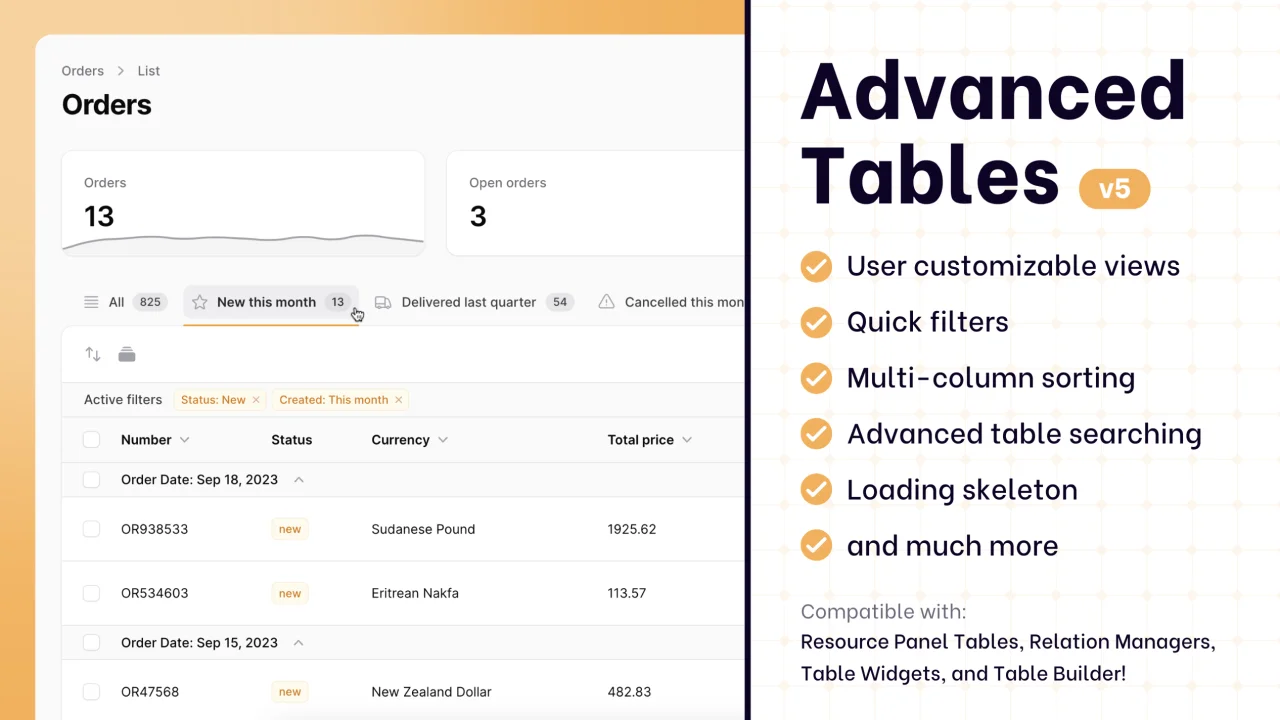
Advanced Tables (formerly Filter Sets)
Supercharge your tables with powerful features like user-customizable views, quick filters, multi-column sorting, advanced table searching, convenient view management, and more. Compatible with Resource Panel Tables, Relation Managers, Table Widgets, and Table Builder!
 Kenneth Sese

Data Lens
Advanced Data Visualization for Laravel Filament - a premium reporting solution enabling custom column creation, sophisticated filtering, and enterprise-grade data insights within admin panels.
 Padmission

