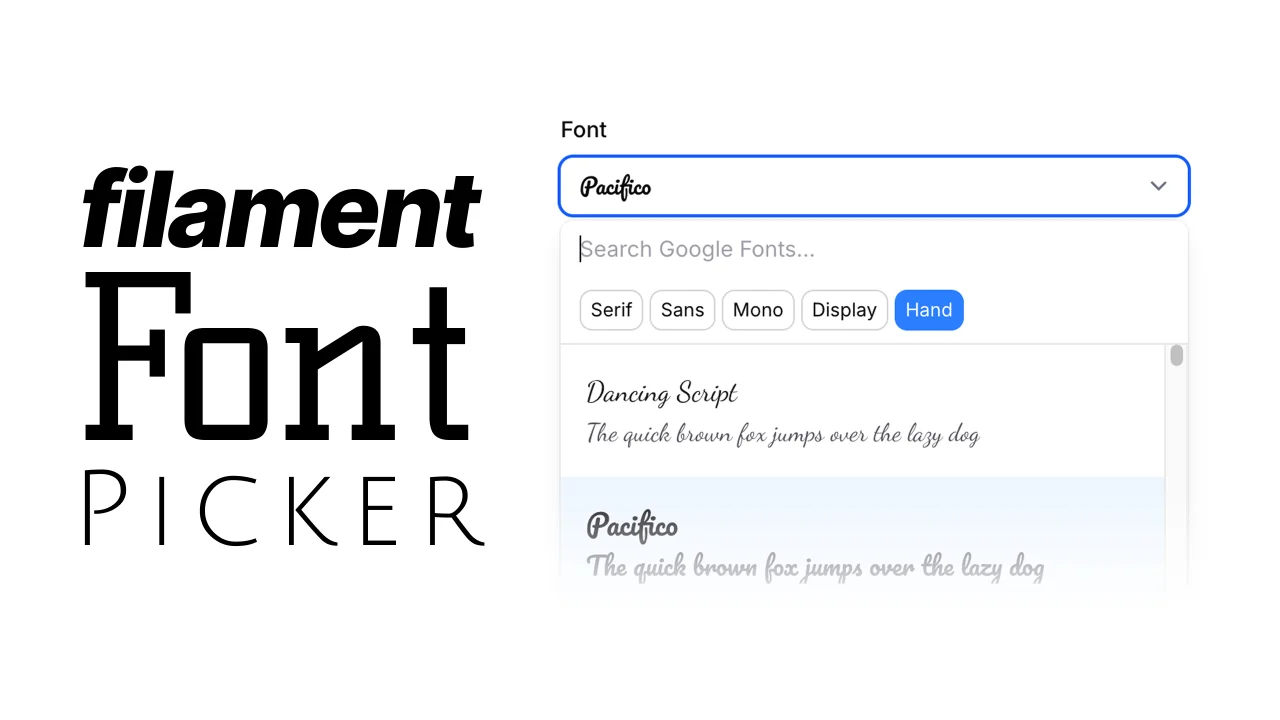
Font Picker
CommunityGoogle Fonts picker field with font previews, search, and category filtering.
 Author:
Charlie Etienne
Author:
Charlie Etienne
Package health
BetaAutomated checks of this plugin's Composer package
13 checks
-
Passed:
Current Laravel version supported
—
Package dependencies resolve together with current Laravel
13.0. -
Passed:
Current PHP version supported
—
Constraint
^8.2supports current PHP8.5. - Skipped: Current Symfony version supported
- Passed: Abandoned or archived — No consulted source marks the package abandoned (packagist, github).
- Warning: Commit and release recency — Low activity: last commit 181 days ago; last release 181 days ago.
-
Passed:
composer.lock not committed by library
—
composer.lockis absent from the released dist archive. - Passed: Dist archive is lean
- Skipped: GitHub Actions pinned to SHA
- Passed: Open security advisories
- Passed: Dependabot PR responsiveness — No open Dependabot PRs.
- Skipped: Dependabot or Renovate configured
- Skipped: Dependency update cooldown configured
- Failed: Provides a security policy — View details on Plumb
filament/
namespace. Review the source and install at your own risk. Found
malware or an unresolved security issue the author won't
address?
Report it
.
Documentation
A beautiful Google Fonts picker component for Filament forms with real-time font previews, search functionality, and category filtering.
#Features
- 🔍 Search Google Fonts: Find fonts quickly with intelligent search
- 🏷️ Category Filtering: Filter by serif, sans-serif, monospace, display, and handwriting fonts
- 👀 Live Previews: See font previews as you browse
- ⚡ Performance Optimized: Fonts load only when needed with intersection observer
- 🌙 Dark Mode Support: Seamless integration with Filament's dark mode
- 📱 Mobile Friendly: Responsive design that works on all devices
- ♿ Accessibility First: Full keyboard navigation and screen reader support
#Installation
You can install the package via composer:
composer require charlieetienne/filament-font-picker
[!IMPORTANT] If you have not set up a custom theme and are using Filament Panels follow the instructions in the Filament Docs first.
After setting up a custom theme add the plugin's views to your theme css file or your app's css file if using the standalone packages.
@source '../../../../vendor/charlieetienne/filament-font-picker/resources/**/*.blade.php';
#Usage
Use the FontPicker component in your Filament forms:
use CharlieEtienne\FilamentFontPicker\FontPicker;

FontPicker::make('font')
    ->label('Choose Font')
#Options
You can control which font categories are available and which are preselected:
#Available Categories
Limit which categories are shown (restricts the available options):
FontPicker::make('font')
    ->availableCategories([
        'serif',
        'sans-serif',
        'monospace',
        'display',
        'handwriting',
    ])
#Selected Categories
Preselect certain categories when the component loads (users can still change them):
FontPicker::make('font')
    ->selectedCategories([
        'monospace',
        'handwriting',
    ])
#Other options
You can customize all these options:
FontPicker::make('font')
    ->placeholder('Select a font')
    ->searchPrompt('Search fonts')
    ->previewText('The quick brown fox jumps over the lazy dog')
    ->noResultsTitle('No fonts found matching')
    ->noResultsSubtitle('Try searching for serif, sans-serif, monospace, or display fonts')
    ->loadingMessage('Loading Google Fonts...')
    ->loadingPreviewMessage('Loading preview...')
#Updating the Google Fonts list
The package includes a built-in Google Fonts dataset that works out of the box.
However, if you want to update the fonts data or need the latest fonts from Google, you'll need to configure a Google Fonts API key.
- Get a Google Fonts API key from the Google Cloud Console
- Add your API key to your
.envfile:GOOGLE_FONTS_API_KEY=your_api_key_here - Update the Google Fonts data with the latest fonts from Google's API:
This command will fetch the latest fonts from Google and update the list of available fonts.php artisan filament-font-picker:update-fonts
#Requirements
- PHP 8.2+
- Filament 4.0+
- Laravel 11.0+
#Contributing
Contributions are welcome! Please feel free to submit a Pull Request.
#License
The MIT License (MIT). Please see License File for more information.
#Credits
- Built for Filament
- Fonts provided by Google Fonts
- Created by Charlie Etienne
- Inspired by Filament Studio's font picker by Dennis Koch
The author
I’m an indie Laravel and PHP developer with 15+ years of experience. I believe Filament is one of the best things to happen to web development, and I’m proud to be part of this awesome community.
Featured Plugins
A selection of plugins curated by the Filament team

Blueprint
Filament Blueprint is a premium Laravel Boost extension that helps AI agents produce accurate, detailed implementation plans and security reports for Filament apps.
 Filament

Spotlight Pro
Browse your Filament Panel with ease. Filament Spotlight Pro adds a Spotlight/Raycast like Command Palette to your Filament Panel.
 Dennis Koch

Custom Fields
Eliminate custom field migrations forever. Let your users create and manage form fields directly in Filament admin panels with 20+ built-in field types, validation, and zero database changes.
 Relaticle
