Tagixo
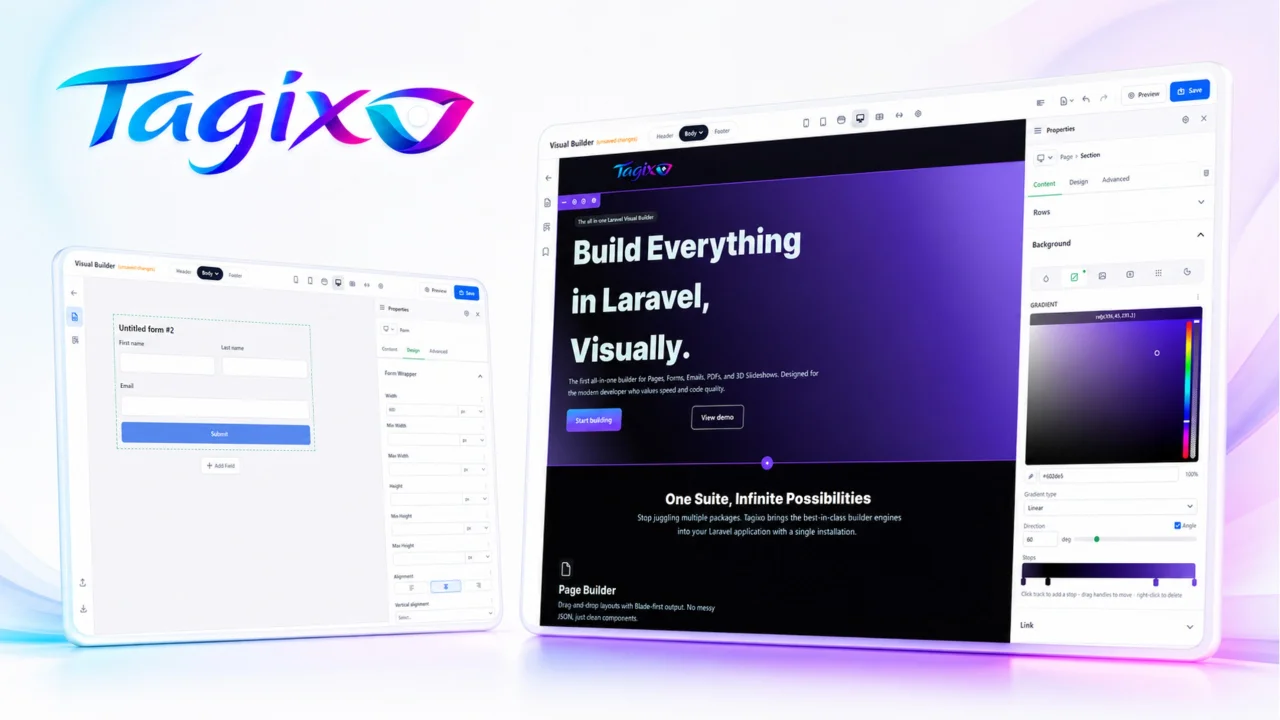
CommunityTagixo for FilamentPHP is the official SDK that allows developers to integrate Tagixo’s visual builder for pages, forms, sliders, popups, mail and pdf templates directly into their Filament-powered Laravel applications.
filament/
namespace. Review the source and install at your own risk. Found
malware or an unresolved security issue the author won't
address?
Report it
.
 Author:
cCast
Author:
cCast
Documentation
- What you get
- Requirements
- Before you install
- Installation
- Post-install smoke test
- Using the artisan scaffolder
- Upgrading
- Troubleshooting
- License
- Links
Filament 5 integration for the Tagixo Visual Builder. Provides Filament Resources, a Livewire-backed editor page, and an optional media gallery panel — ready to mount on any Filament panel.
License required. This SDK is for customers who have purchased a Tagixo license. See Before you install below.
#What you get
Once installed, your Filament panel gains:
- Pages resource (
/admin/pages) — list, create, edit, and visually build pages - Layouts resource (
/admin/layouts) — reusable headers/footers with the same builder UI - Media resource (optional,
/admin/media) — integrated media gallery with crop presets, folders, and variants make:builder-pageartisan command — scaffold a custom Filament Page that embeds the Tagixo builder for your own models- Auto-registered CSS asset — the builder's Tailwind + component styles loaded via Filament's asset pipeline
- Livewire bridge — media selector + global gallery modal wired into Filament's Livewire stack
Underlying admin CRUD is handled by Filament Resources; the core package's standalone routes (/tagixo/manage/*) remain available for custom types not managed by this SDK. See the core builder-types docs for details.
#Requirements
- PHP
^8.2 - Laravel
^12.0(inherited fromccast/tagixo) - Filament
^5.0 ccast/tagixo^0.2— private package, access granted with a valid license
#Before you install
This SDK requires a valid Tagixo license. ccast/tagixo (the visual builder core) is a licensed package distributed through the Tagixo Composer repository. Installation instructions and repository credentials are provided in your customer account after purchase.
#Installation
#1. Install the package
composer require ccast/tagixo-filament
This pulls in ccast/tagixo (the framework-agnostic core) as a dependency. The service provider Ccast\TagixoFilament\TagixoFilamentServiceProvider is auto-discovered via Laravel's package discovery.
#2. Run migrations
Migrations from both the core package and this SDK are auto-loaded. Run:
php artisan migrate
This creates the builder tables:
- Core:
tgx_pages,tgx_layouts,tgx_mail_templates,tgx_global_variables,tgx_custom_fonts,tgx_builder_templates,tgx_builder_library_items,tgx_media - SDK:
tgx_form_bindings
If you prefer to publish migrations before running them:
php artisan vendor:publish --tag=tagixo-migrations
php artisan migrate
#3. Publish builder assets
The core ships a pre-built Vue bundle and CSS. Publish them to public/vendor/tagixo/ so the browser can load them:
php artisan vendor:publish --tag=tagixo-assets
This creates public/vendor/tagixo/js/ and public/vendor/tagixo/css/. The SDK's CSS asset (tagixo) is already registered with Filament's asset manager — no extra action needed for CSS.
#4. Register the plugin on your Filament panel
Edit your panel provider (e.g. app/Providers/Filament/AdminPanelProvider.php):
use Ccast\TagixoFilament\TagixoFilamentPlugin;

public function panel(Panel $panel): Panel
{
    return $panel
        ->id('admin')
        ->path('admin')
        // ... other panel config ...
        ->plugin(TagixoFilamentPlugin::make());
}
Clear the Filament cache:
php artisan filament:optimize-clear
Visit /admin/pages — the Pages resource should be visible with a "Create" button and the visual builder ready to use.
#5. (Optional) Enable the media gallery resource
->plugin(TagixoFilamentPlugin::make()->withMediaGallery())
This registers MediaResource at /admin/media with upload, crop, folder, and variant management.
Configure media storage in config/tagixo.php (publishable from the core package):
php artisan vendor:publish --tag=tagixo-config
Key media options (excerpt):
'media_gallery' => [
    'enabled' => true,
    'disk' => env('MEDIA_GALLERY_DISK', 'public'),
    'storage_path' => env('MEDIA_GALLERY_STORAGE_PATH', 'public/media'),
    'max_file_size' => env('MEDIA_GALLERY_MAX_SIZE', 10240), // KB
    'allowed_types' => ['image/jpeg', 'image/png', 'image/gif', 'image/webp', 'image/svg+xml'],
    'crop_presets' => [
        'thumbnail' => ['width' => 150, 'height' => 150, 'fit' => 'crop'],
        '16x9' => ['width' => 1920, 'height' => 1080, 'fit' => 'contain'],
    ],
],
Remember to link the public disk if using the default public driver:
php artisan storage:link
#6. (Optional) Publish the SDK config
php artisan vendor:publish --tag=tagixo-filament-config
Creates config/tagixo-filament.php where you can register custom Filament field/wrapper mappers for form-builder modules:
'form_mapper' => [
    'fields' => [
        'money' => \App\VisualBuilder\Form\MoneyFieldMapper::class,
    ],
    'wrappers' => [],
],
#Post-install smoke test
After the 5 required steps, verify:
php artisan route:list --path=admin/pages
# → Should list filament.admin.resources.pages.{index,create,edit,build}
Then navigate to:
/admin/pages— Pages list- Click New Page → fill title + slug → Create → redirects to the builder
- Drag a component from the left sidebar into the canvas → save
If the builder loads with a blank canvas and component palette, you're done.
#Using the artisan scaffolder
To build a Filament page with the Tagixo builder embedded against a custom model:
php artisan make:builder-page
The command is interactive — it asks for the target model, Livewire page class name, and panel. The generated class extends FilamentVisualBuilderPage (provided by this SDK) and implements the InteractsWithVisualBuilderFilament bridge trait for you.
#Upgrading
Major version changes are documented in the core package. The SDK follows the core's major version; minor versions can bump independently for Filament-side features.
composer update ccast/tagixo-filament ccast/tagixo
php artisan migrate
php artisan filament:optimize-clear
#Troubleshooting
Builder shows a blank page
- Run
php artisan vendor:publish --tag=tagixo-assets --forceto re-publish the JS bundle - Check the browser console: the mount element expects
data-page-id+data-context+data-data-url+data-config-url - Verify
/tagixo/builder/bootstrapis reachable (requiresauthmiddleware by default — you must be logged in to the Filament panel)
Media gallery returns 403
- The MediaResource respects Filament's authorization. Add a
MediaPolicyor disable policies for local dev - If using a tenant-aware middleware stack, override
tagixo.route_middleware
Custom font uploads fail
- Check
php.ini:upload_max_filesizeandpost_max_size≥ 5 MB - The default disk is
public— ensurestorage:linkhas been run
Filament CSS overrides builder styles
- Tagixo's builder CSS sets a layer order
properties, theme, base, primevue, components, utilities. If your custom Filament theme injects CSS at a higher priority layer, the builder preview may break. Ensure custom Filament CSS uses thecomponentsorutilitieslayer
#License
MIT — see LICENSE file.
#Links
- Core package:
ccast/tagixo - Full documentation:
tagixo/docs/ - Issues: report on the main Tagixo repository
Featured Plugins
A selection of plugins curated by the Filament team

Blueprint
Filament Blueprint is a premium Laravel Boost extension that helps AI agents produce accurate, detailed implementation plans and security reports for Filament apps.
 Filament

Custom Fields
Eliminate custom field migrations forever. Let your users create and manage form fields directly in Filament admin panels with 20+ built-in field types, validation, and zero database changes.
 Relaticle

Advanced Tables (formerly Filter Sets)
Supercharge your tables with powerful features like user-customizable views, quick filters, multi-column sorting, advanced table searching, convenient view management, and more. Compatible with Resource Panel Tables, Relation Managers, Table Widgets, and Table Builder!
 Kenneth Sese

