
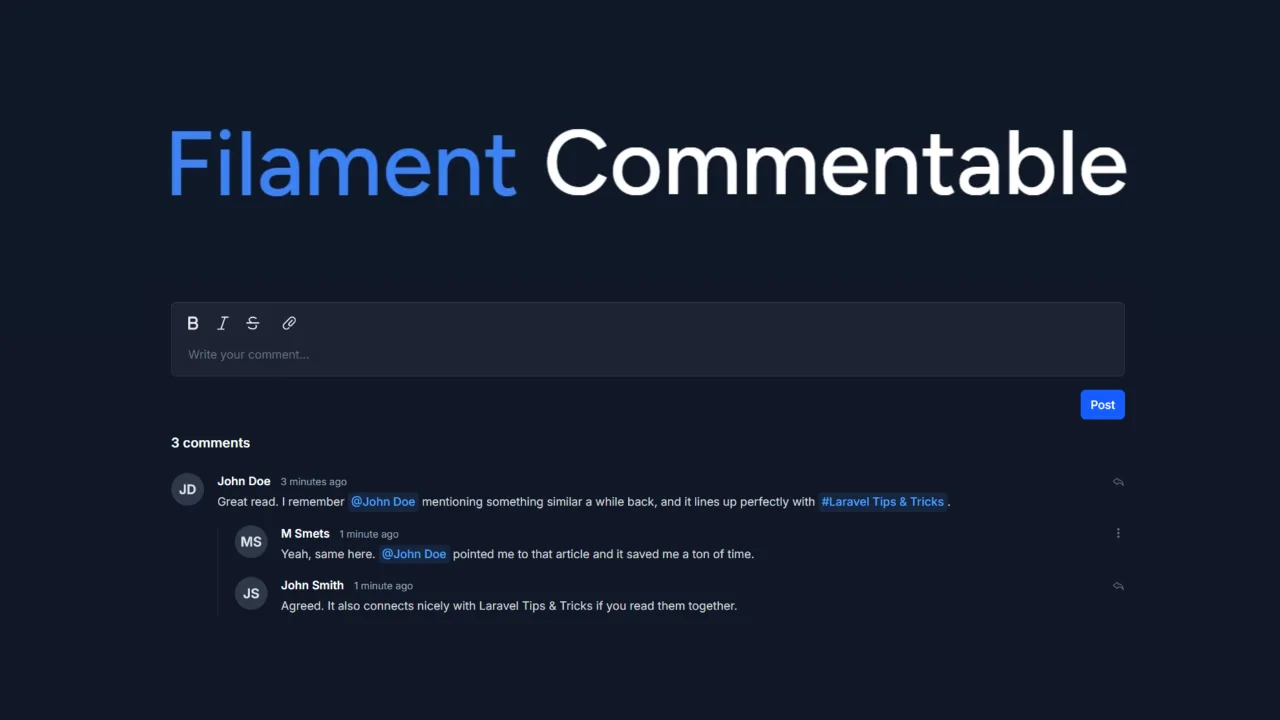
Commentable by Tilto
CommunityAn extensive and very customizable package that adds commenting in Filament v4.5 and newer.
 Author:
Tilto
Author:
Tilto
Package health
Automated checks of this plugin's Composer package
15 checks
- Passed: GitHub Actions pinned to SHA
- Skipped: GitLab CI includes pinned to SHA
- Passed: Open security advisories
- Passed: Dependabot PR responsiveness — No open Dependabot PRs.
- Skipped: Renovate MR responsiveness
- Passed: Dependabot or Renovate configured
- Passed: Dependency update cooldown configured
- Passed: Provides a security policy
- Passed: Abandoned or archived — No consulted source marks the package abandoned (packagist, github).
- Passed: Commit and release recency — Active: last commit 0 days ago; last release 40 days ago.
-
Passed:
composer.lock not committed by library
—
composer.lockis absent from the released dist archive. - Passed: Dist archive is lean
-
Passed:
Current Laravel version supported
—
Package dependencies resolve together with current Laravel
13.0. -
Passed:
Current PHP version supported
—
Constraint
^8.2supports current PHP8.5. - Skipped: Current Symfony version supported
filament/
namespace. Review the source and install at your own risk. Found
malware or an unresolved security issue the author won't
address?
Report it
.
Documentation
- Preview
- Prerequisites
- Table of contents
- Installation
- Usage
- Styling
- Testing
- Alternatives
- Contributing
- Credits
- License




An extensive and very customizable package that adds commenting in Filament v4.5 and newer.
Inspired by and built upon code from the Kirschbaum Commentions package, but takes a different approach to commenting in Filament.
Note
Prefer a more structured reading experience? You can also read the documentation at docs.tilto.nl/commentable.
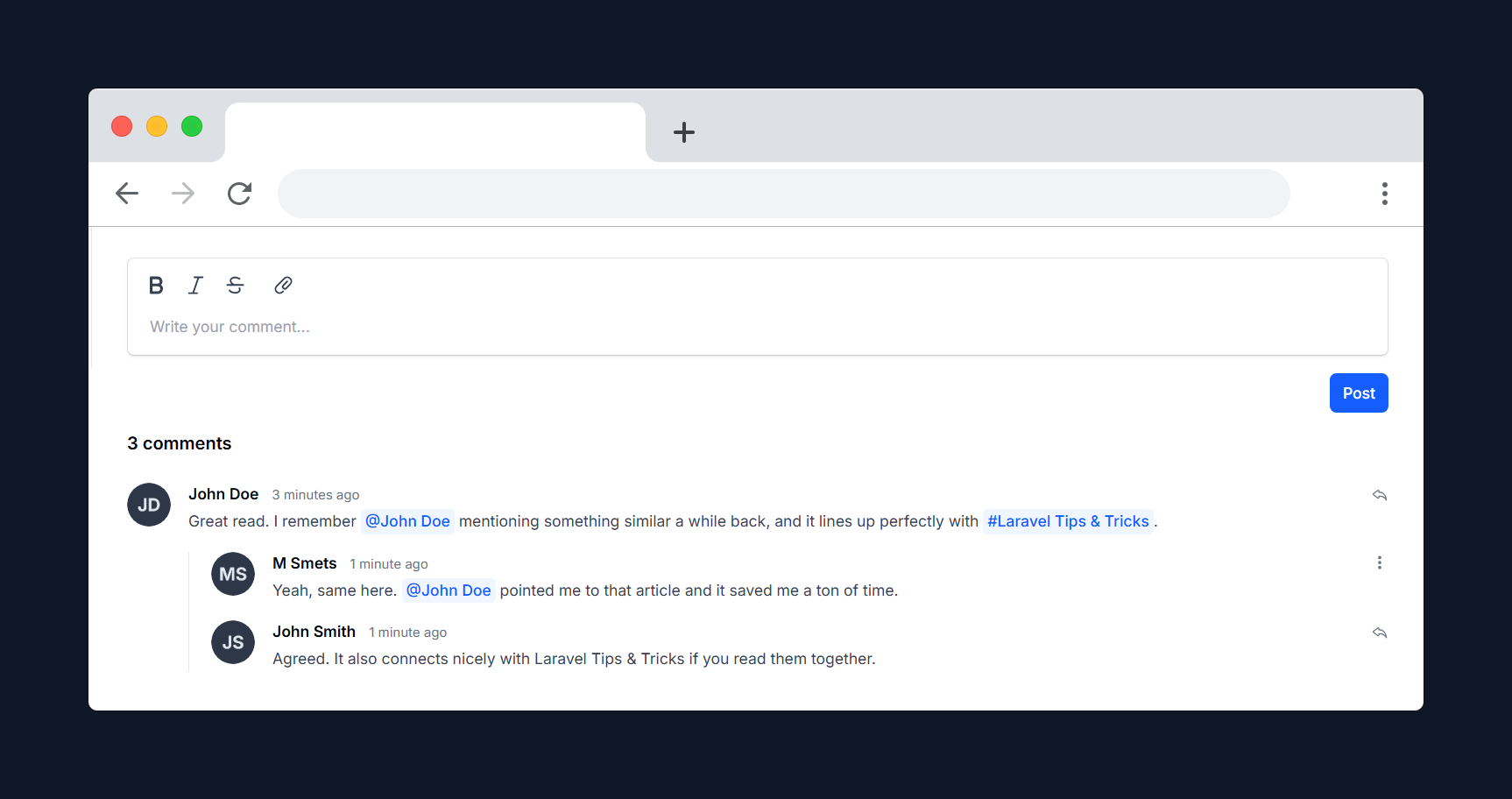
#Preview
#Prerequisites
- Laravel 11.x/12.x
- PHP 8.2+
- Filament 4.5+
#Table of contents
#Installation
You can install the package via composer:
composer require businesstilto/commentable
You can publish and run the migrations with:
php artisan vendor:publish --tag="commentable-migrations"
php artisan migrate
You can publish the config file with:
php artisan vendor:publish --tag="commentable-config"
You can publish the translation files with:
php artisan vendor:publish --tag="commentable-translations"
Optionally, you can publish the views using:
php artisan vendor:publish --tag="commentable-views"
This is the contents of the published config file:
<?php

return [
    /*
    |--------------------------------------------------------------------------
    | Comment model
    |--------------------------------------------------------------------------
    */
    'comment' => [
        'model' => Tilto\Commentable\Models\Comment::class,
        'policy' => Tilto\Commentable\Policies\CommentPolicy::class,
    ],

    /*
    |--------------------------------------------------------------------------
    | Reply
    |--------------------------------------------------------------------------
    */
    'reply' => [
        'allow_self_reply' => false,
    ],

    /*
    |--------------------------------------------------------------------------
    | Editor
    |--------------------------------------------------------------------------
    |
    | 'submit_shortcut' controls the keyboard shortcut for submitting a comment:
    | - 'mod+enter': Ctrl + Enter (Windows/Linux) or Cmd + Enter (macOS)
    | - 'enter': Enter submits, Shift + Enter inserts a new line
    | - false: no keyboard shortcut
    |
    */
    'editor' => [
        'submit_shortcut' => 'mod+enter',
    ],

    /*
    |--------------------------------------------------------------------------
    | Reaction
    |--------------------------------------------------------------------------
    */
    'reaction' => [
        'model' => Tilto\Commentable\Models\CommentReaction::class,
        'allowed' => ['👍', '❤️', '😂', '😮', '😢', '🤔'],
        'show_reactors_tooltip' => true,
    ],
];
Important
Version 0.3.0 introduces breaking changes related to reactions. Please refer to the upgrade guide for detailed instructions on upgrading safely.
#Usage
#Setting up your models
To enable commenting functionality, you need to update your models as follows:
#1. Implement the Commenter contract
In your User model, implement the Commenter contract and use the isCommenter trait:
use Tilto\Commentable\Contracts\Commenter;
use Tilto\Commentable\Traits\IsCommenter;

class User extends Model implements Commenter
{
    use isCommenter;
}
#2. Implement the Commentable contract
In the model you want to make commentable (for example, Post), implement the Commentable contract and use the HasComments trait:
use Tilto\Commentable\Traits\HasComments;
use Tilto\Commentable\Contracts\Commentable;

class Post extends Model implements Commentable
{
    use HasComments;
}
#Custom policy
You can define a custom policy for the Comment model to control who can create, update, reply, or delete comments. First, create a new policy class (for example, App\Policies\CommentPolicy) and extend the default policy:
namespace App\Policies;

use Tilto\Commentable\Contracts\Commenter;
use Tilto\Commentable\Models\Comment;
use Tilto\Commentable\Policies\CommentPolicy as CommentablePolicy;

class CommentPolicy extends CommentablePolicy
{
    public function create(Commenter $user): bool
    {
        // ...
    }

    public function update(Commenter $user, Comment $comment): bool
    {
        // ...
    }

    public function reply(Commenter $user, Comment $comment): bool
    {
        // ...
    }

    public function delete(Commenter $user, Comment $comment): bool
    {
        // ...
    }
}
Then, update the comment.policy value in your config/commentable.php file to point to your new policy:
'comment' => [
    'model' => Tilto\Commentable\Models\Comment::class,
    'policy' => App\Policies\CommentPolicy::class,
],
This allows you to fully customize comment permissions to fit your application's requirements.
#Listening for comment creation events
To perform actions when a comment is created, listen for the CommentCreatedEvent in your event listener. This allows you to trigger notifications, logging, or other custom logic whenever a new comment is added.
Here's an example of how to set up a listener for the event:
use Tilto\Commentable\Events\CommentCreatedEvent;

class NotifyOnCommentCreated
{
    public function handle(CommentCreatedEvent $event): void
    {
        // Access the created comment:
        $comment = $event->comment;

        // Add your custom logic here, e.g., send a notification
    }
}
If you don't have event auto-discovery turned on in Laravel, you will need to manually register your listener within your EventServiceProvider:
protected $listen = [
    CommentCreatedEvent::class => [
        NotifyOnCommentCreated::class,
    ],
];
#Comment Component
You can add a comments section to your Filament Infolist using the CommentsEntry component:
use Tilto\Commentable\Filament\Infolists\Components\CommentsEntry;

CommentsEntry::make('comments')
#Button position
You can set the position of the form buttons using the buttonPosition method:
CommentsEntry::make('comments')
    ->buttonPosition('right') // Options: 'left', 'right'
#Toolbar buttons
You can customize the toolbar buttons using the toolbarButtons method, which uses Filament's built-in toolbar button options:
CommentsEntry::make('comments')
    ->toolbarButtons([
        ['bold', 'italic', 'strike'],
        ['attachFiles'],
    ])
The default toolbar buttons are bold, italic, strike, and attachFiles.
To hide the toolbar completely, simply pass an empty array:
CommentsEntry::make('comments')
    ->toolbarButtons([])
#Markdown Editor
Prefer writing comments in Markdown? Enable the Markdown editor with the markdownEditor method:
CommentsEntry::make('comments')
    ->markdownEditor()
By default, comments use Filament's built-in rich text editor. Switching to the Markdown editor allows users to write and preview comments using Markdown syntax.
#Mentions
From Filament 4.5+, mentions are supported. You now define mention providers directly on your commentable model by implementing a getCommentMentionProviders() method. Enable mentions for the comment entry using ->mentions():
// In your Commentable model (e.g., Post):
use Filament\Forms\Components\RichEditor\MentionProvider;

public function getCommentMentionProviders(): array|null
{
    return [
        MentionProvider::make('@')
            ->getSearchResultsUsing(fn(string $search): array => User::query()
                ->where('name', 'like', "%{$search}%")
                ->orderBy('name')
                ->limit(10)
                ->pluck('name', 'id')
                ->all())
            ->getLabelsUsing(fn(array $ids): array => User::query()
                ->whereIn('id', $ids)
                ->pluck('name', 'id')
                ->all()),
        MentionProvider::make('#')
            ->items([
                1 => 'How to Bake Bread',
                2 => 'Laravel Tips & Tricks',
                3 => 'The Future of PHP',
                4 => '10 Best Coding Practices',
                5 => 'Debugging 101',
                6 => 'Deploying with Docker',
            ]),
    ];
}

// In your CommentsEntry component:
CommentsEntry::make('comments')
    ->mentions()
For rendering the mentions in the rich content, you can put this in your commentable model (for example):
public function getRenderMentionProviders(): array|null
{
    return [
        MentionProvider::make('@')
            ->getLabelsUsing(fn(array $ids): array => User::query()
                ->whereIn('id', $ids)
                ->pluck('name', 'id')
                ->all())
            ->url(fn(string $id, string $label): string => route('filament.portal.resources.users.view', $id))
    ];
}
While not required, adding the following CSS to your theme or app.css file ensures that mentions have a consistent appearance across your application:
span[data-type="mention"],
a[data-type="mention"] {
    @apply bg-primary-50 text-primary-600 dark:bg-primary-400/10 dark:text-primary-400 my-0 inline-block rounded px-1 font-medium whitespace-nowrap no-underline;
    text-decoration: none !important;
}
Note
Mentionables are only supported when using the rich text editor. They are not available in the Markdown editor.
#File Attachments
You can customize the file attachment behavior by chaining the following methods:
CommentsEntry::make('comments')
    ->fileAttachmentsDisk('public') // Set the storage disk for attachments
    ->fileAttachmentsVisibility('public') // Set the storage visibility for attachments
    ->fileAttachmentsDirectory('comments') // Set the directory for attachments
    ->fileAttachmentsAcceptedFileTypes(['pdf', 'jpg', 'png']) // Set accepted file types
    ->fileAttachmentsMaxSize(5120) // Set max file size in kilobytes
#Polling
You can enable polling to automatically refresh the comments list at a specified interval:
CommentsEntry::make('comments')
    ->pollInterval('5s') // Refresh every 5 seconds
Or by using the default interval:
CommentsEntry::make('comments')
    ->enablePolling() // Refresh using the default interval
#Reactions
You can enable and customize reactions for your comments. By default, reactions are enabled and use a set of allowed emojis.
You can configure allowed reactions and the reaction model in config/commentable.php:
'reaction' => [
    'model' => Tilto\Commentable\Models\CommentReaction::class,
    'allowed' => ['👍', '❤️', '😂', '😮', '😢', '🤔'],
    'show_reactors_tooltip' => true,
],
To enable or disable reactions in your CommentsEntry component:
CommentsEntry::make('comments')
    ->reactions() // Enable reactions (default)
    ->disableReactions() // Disable reactions
To customize which reactions are allowed:
CommentsEntry::make('comments')
    ->allowedReactions(['👍', '👎', '🔥'])
If you do not set allowedReactions, the default set from your config will be used.
Reactions are displayed below each comment, and users can add or remove their reaction. Each user can react once per reaction type per comment.
#Reactor tooltips
Hovering a reaction shows a tooltip naming who reacted, e.g. "You reacted with 👍", "Moshe reacted with 👍" or "You and Moshe reacted with 👍". The phrasing is localized in all available languages, and the current user is always listed first as "you".
The tooltip is enabled by default. To disable it and show only the emoji, set the following in your published config/commentable.php file:
'reaction' => [
    // ...
    'show_reactors_tooltip' => false, // default: true
],
#Replies
You can enable replies to comments using the nestable method:
CommentsEntry::make('comments')
    ->nestable() // Enable replies
You can control whether the author of a comment may reply to their own comment using the package config. In the published config/commentable.php file set:
'reply' => [
    'allow_self_reply' => true, // default: false
],
#Submit shortcut
By default, comments can be submitted with Ctrl + Enter (Windows/Linux) or Cmd + Enter (macOS). This applies to creating, editing, and replying to comments.
You can customize this behavior in your published config/commentable.php file:
'editor' => [
    'submit_shortcut' => 'mod+enter', // default
],
Supported values:
'mod+enter'— submit with Ctrl + Enter / Cmd + Enter (default)'enter'— submit with Enter; use Shift + Enter to insert a new linefalse— disable the keyboard shortcut entirely
#Styling
Important
If you are using Filament panels without a custom theme, make sure to first follow the official Filament documentation on creating one.
Once you have a custom theme set up, add the plugin's views and CSS to your theme's CSS file:
@import '../../../../vendor/businesstilto/commentable/resources/css/plugin.css';
Comment styles come only from that theme import. The package does not publish a separate stylesheet.
If you upgraded from a version that published commentable-styles, delete the old file so it cannot override other Filament components, including database notifications:
public/css/businesstilto/commentable/commentable-styles.css
Caution
This package relies on Tailwind Typography for rendering rich text content.
Ensure you have the Typography plugin installed and included in your CSS:
Add this to your theme CSS file:
@plugin "@tailwindcss/typography";
#Behavior
- This package uses the styling of your Filament panel by default.
- It automatically loads your configured avatar provider from Filament.
- If no avatar provider is found, a UI-based fallback avatar is shown instead.
- You may fully override all
fi-*classes by not including theplugin.cssfile and providing your own styles.
This allows you to either use the default styling out of the box or completely customize the appearance to match your application.
#Testing
composer test
#Alternatives
If this package doesn't fully meet your needs, you might find these alternatives helpful:
- Kirschbaum Commentions
- Laravel Comments by Spatie
- Beyondcode Comments
- Lakshan-Madushanka Laravel Comments
Each package provides unique features and approaches to commenting in Laravel. If this package is almost what you need but is missing some functionality, you can open a discussion or check out the alternatives listed above. One of them might have exactly what you're looking for.
#Contributing
Please see CONTRIBUTING for details.
#Credits
#License
The MIT License (MIT). Please see License File for more information.
The author
Webdevelopment business from the Netherlands. Creating open source packages and building solutions for clients.
Featured Plugins
A selection of plugins curated by the Filament team

Noir Theme
A theme that gives panels a focused, refined look with near-black surfaces, crisp actions, and restrained color.
 Filament

Custom Fields
Eliminate custom field migrations forever. Let your users create and manage form fields directly in Filament admin panels with 20+ built-in field types, validation, and zero database changes.
 Relaticle

Compact Theme
A theme that makes data-heavy panels easier to scan by fitting more useful information on each screen.
Filament

