
Reorderable Columns
Enables reordering of table columns
 Author:
Bostos
Author:
Bostos
Documentation


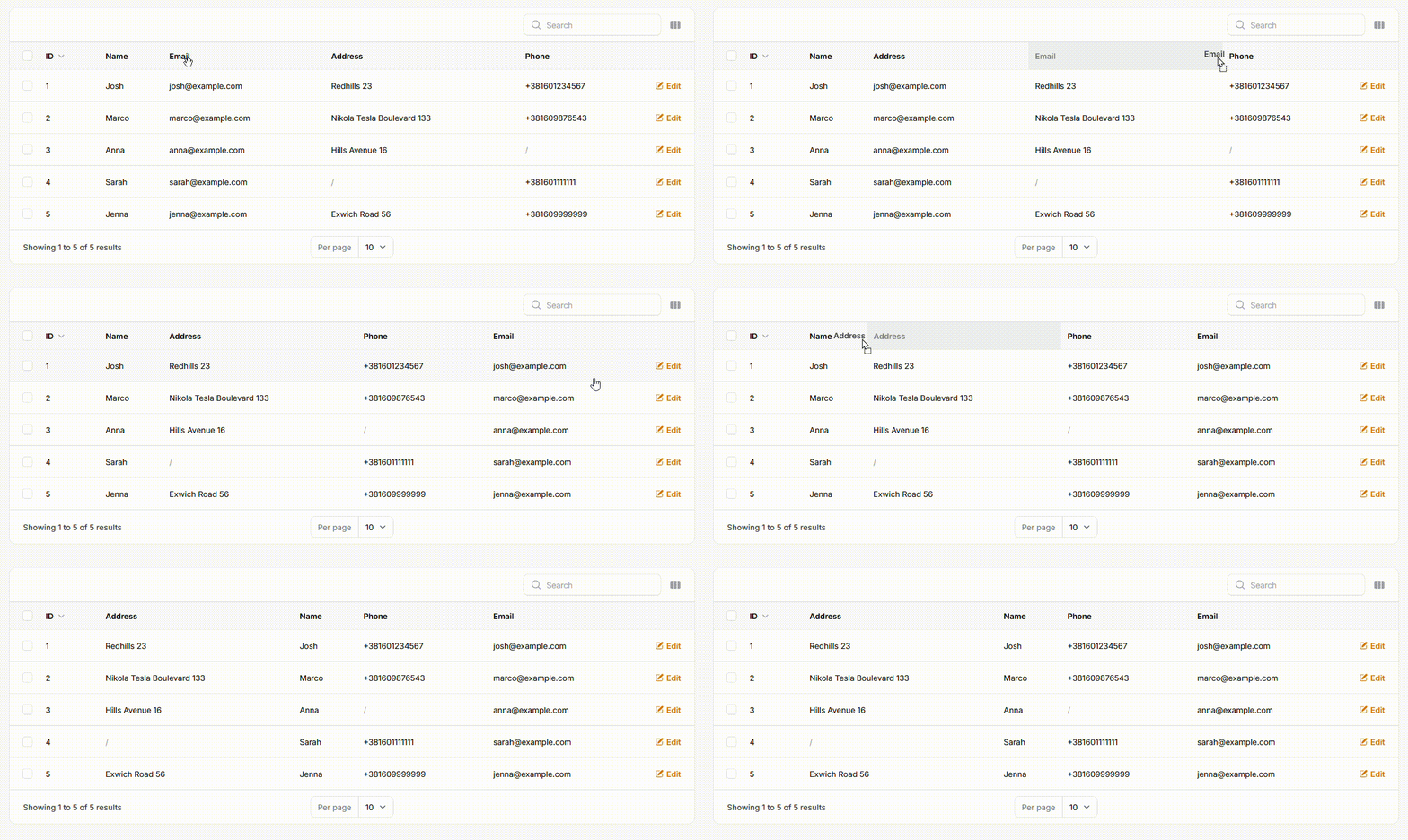
Reorderable Columns is a plugin for Filament that allows users to reorder table columns via drag-and-drop. The new column order can be saved either in the session or persisted in the database (per user).
#Features
- Intuitive Drag & Drop: Easily reorder table columns to create your preferred layout
- Persistent Ordering: Column order is saved and automatically reapplied on next visit
- Flexible Storage Drivers:
- Database: Persist layouts per-user, so everyone gets their own custom view
- Session: Keep the layout for the current session, resetting on logout
- Seamless Integration: Designed to feel like a native Filament feature
- Smart Column Handling:
- Remembers the order of visible columns
- Automatically places newly added columns at the end of the table
#📦 Installation
Install the package via Composer:
composer require bostos/reorderable-columns
Then, publish and run the migrations to create the reorderable_columns_orders table:
php artisan vendor:publish --tag="reorderable-columns-migrations"
php artisan migrate
Optionally, publish the configuration file:
php artisan vendor:publish --tag="reorderable-columns-config"
#⚙️ Usage
#Step 1: Register the Plugin in Your Panel Provider
In your AdminPanelProvider.php (or another panel provider), register the plugin inside the panel() method. You can choose the persistence strategy:
persistToSession()(default) – Saves order in the session (lost on logout).persistToDatabase()– Persists per-user column order in the database.
use Bostos\ReorderableColumns\ReorderableColumnsPlugin;

public function panel(Panel $panel): Panel
{
    return $panel
        // ... other configurations
        ->plugin(
            ReorderableColumnsPlugin::make()
                ->persistToSession() // or ->persistToDatabase()
        );
}
#Step 2: Use the Trait in Your ListRecords Page
In your ListRecords page class (e.g. app/Filament/Resources/UserResource/Pages/ListUsers.php), use the HasReorderableColumns trait and override the $view property.
use Bostos\ReorderableColumns\Concerns\HasReorderableColumns;
use Filament\Resources\Pages\ListRecords;

class ListUsers extends ListRecords
{
    use HasReorderableColumns;

    protected static string $view = 'filament.resources.users.pages.list-users';
}
💡 Don't forget to create the custom view in Step 4.
#Step 3: Enable Reordering on Your Table
In your resource file (e.g. UserResource.php), chain the ->reorderableColumns() method to your table definition. Provide a unique key (usually table or model name).
use Filament\Tables\Table;

public static function table(Table $table): Table
{
    return $table
        ->columns([
            // your columns
        ])
        ->filters([
            // your filters
        ])
        ->actions([
            // your actions
        ])
        ->reorderableColumns('users'); // Use a unique key
}
#Step 4: Create a Custom Blade View
Since Filament’s table component doesn’t allow custom HTML attributes on the outer wrapper, you’ll need to override the view and wrap the table manually.
#1. Create a custom view file
At the path defined in Step 2, create:
resources/views/filament/resources/users/pages/list-users-reorderable.blade.php
#2. Copy the original view content
Copy the content from:
vendor/filament/filament/resources/views/resources/pages/list-records.blade.php
Paste it into your custom Blade file.
#3. Wrap the table
Locate the line:
{{ $this->table }}
Wrap it in a div with a data-reorderable-columns attribute:
{{-- resources/views/filament/resources/users/pages/list-users-reorderable.blade.php --}}

<x-filament-panels::page>

    {{-- Required wrapper for reordering --}}
    <div data-reorderable-columns="users">
        {{ $this->table }}
    </div>

</x-filament-panels::page>
Make sure the value (users) matches the key passed in ->reorderableColumns().
#📝 Changelog
Please refer to the CHANGELOG for details on recent changes.
#🤝 Contributing
Contributions are welcome! Please see the CONTRIBUTING guide for details.
#🔐 Security
If you discover a security vulnerability within this package, please send an e-mail to nikolast_metal@hotmail.com. All security vulnerabilities will be promptly addressed.
#🧠 Credits
#⚖️ License
The MIT License (MIT). See the LICENSE file for more details.
Featured Plugins
A selection of plugins curated by the Filament team

Custom Dashboards
Let your users build and share their own dashboards with a drag-and-drop interface. Define your data sources in PHP and let them do the rest.
 Filament
Advanced Tables (formerly Filter Sets)
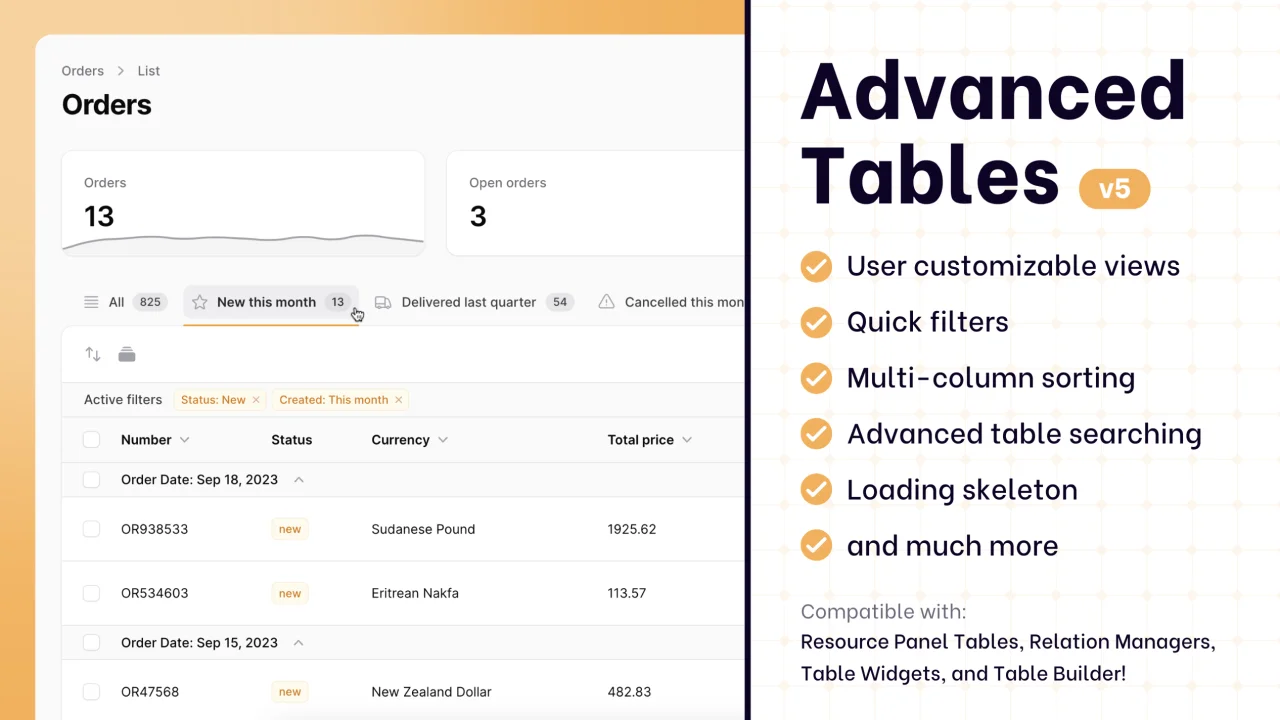
Supercharge your tables with powerful features like user-customizable views, quick filters, multi-column sorting, advanced table searching, convenient view management, and more. Compatible with Resource Panel Tables, Relation Managers, Table Widgets, and Table Builder!
 Kenneth Sese

Custom Fields
Eliminate custom field migrations forever. Let your users create and manage form fields directly in Filament admin panels with 20+ built-in field types, validation, and zero database changes.
 Relaticle

