
Botly by Adam Weston
CommunityBotly is a Filament plugin to manage your site's robots.txt file directly from a Filament admin panel.
 Author:
Adam Weston
Author:
Adam Weston
Package health
Automated checks of this plugin's Composer package
15 checks
- Passed: GitHub Actions pinned to SHA
- Skipped: GitLab CI includes pinned to SHA
- Passed: Open security advisories
- Passed: Dependabot PR responsiveness — No open Dependabot PRs.
- Skipped: Renovate MR responsiveness
- Passed: Dependabot or Renovate configured
- Passed: Dependency update cooldown configured
- Passed: Provides a security policy
- Passed: Abandoned or archived — No consulted source marks the package abandoned (packagist, github).
- Passed: Commit and release recency — Active: last commit 0 days ago; last release 0 days ago.
-
Passed:
composer.lock not committed by library
—
composer.lockis absent from the released dist archive. - Passed: Dist archive is lean
-
Passed:
Current Laravel version supported
—
Package dependencies resolve together with current Laravel
13.0. -
Passed:
Current PHP version supported
—
Constraint
^8.2supports current PHP8.5. - Skipped: Current Symfony version supported
filament/
namespace. Review the source and install at your own risk. Found
malware or an unresolved security issue the author won't
address?
Report it
.
Documentation
Manage your site's robots.txt file from the Filament admin panel, with rules, sitemaps and AI crawler blocks stored in the database and served dynamically.



#Documentation
The full documentation lives at docs.aw.codes/botly.
#Compatibility
| Filament version | Package version |
|---|---|
| 4.x & 5.x | 1.x |
#Installation
composer require awcodes/botly
Botly needs its migration run and the plugin registered in your panel. See Installation for those steps.
#Changelog
Please see the releases for what has changed recently.
#Contributing
Please see CONTRIBUTING for details.
#Security Vulnerabilities
Please review our security policy on how to report security vulnerabilities.
#Credits
#License
The MIT License (MIT). Please see License File for more information.
The author
Adam is a full-stack web developer (with a focus on Laravel) who has been coding for close to 20 years. He is a core Filament team member as well and has authored numerous plugins for Filament such as Curator, Tiptap Editor and Table Repeater, to name a few. You can learn more about Adam on his website.
From the same author
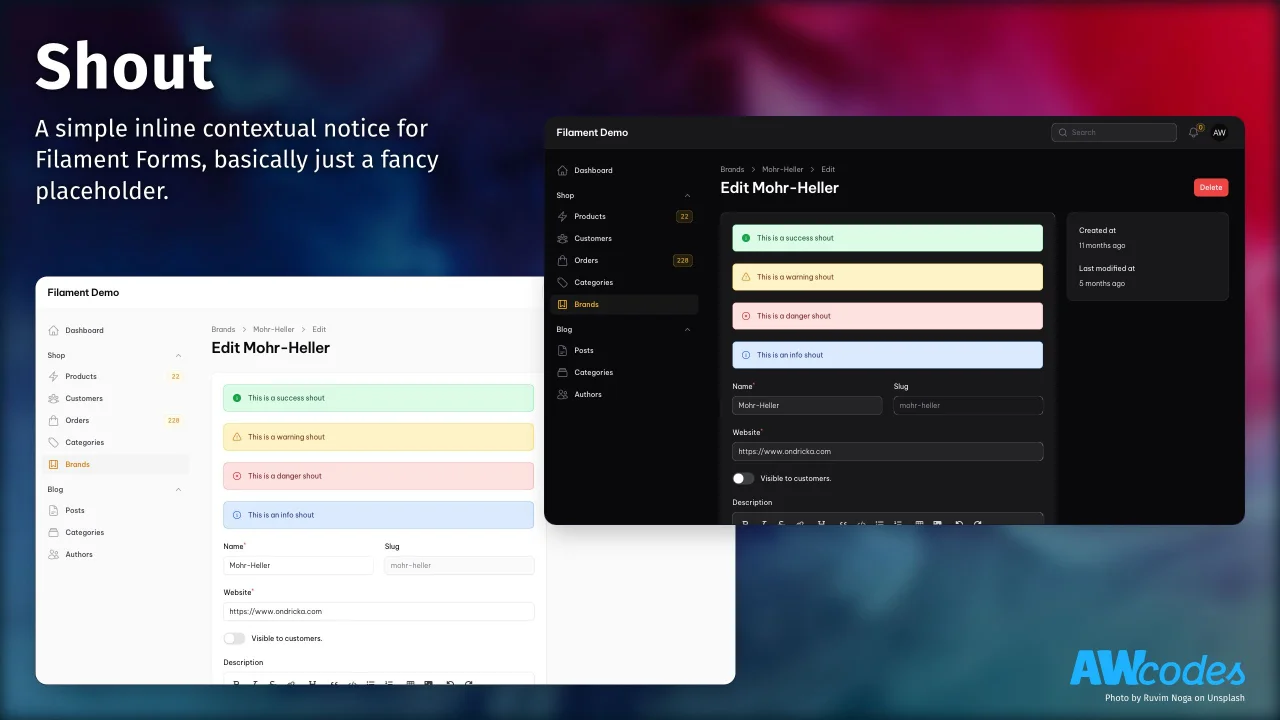
Shout
A simple inline contextual notice for Filament Forms, basically just a fancy placeholder.
Author:
Adam Weston

Table Repeater
A modified version of the Filament Forms Repeater to display it as a table.
Author:
Adam Weston
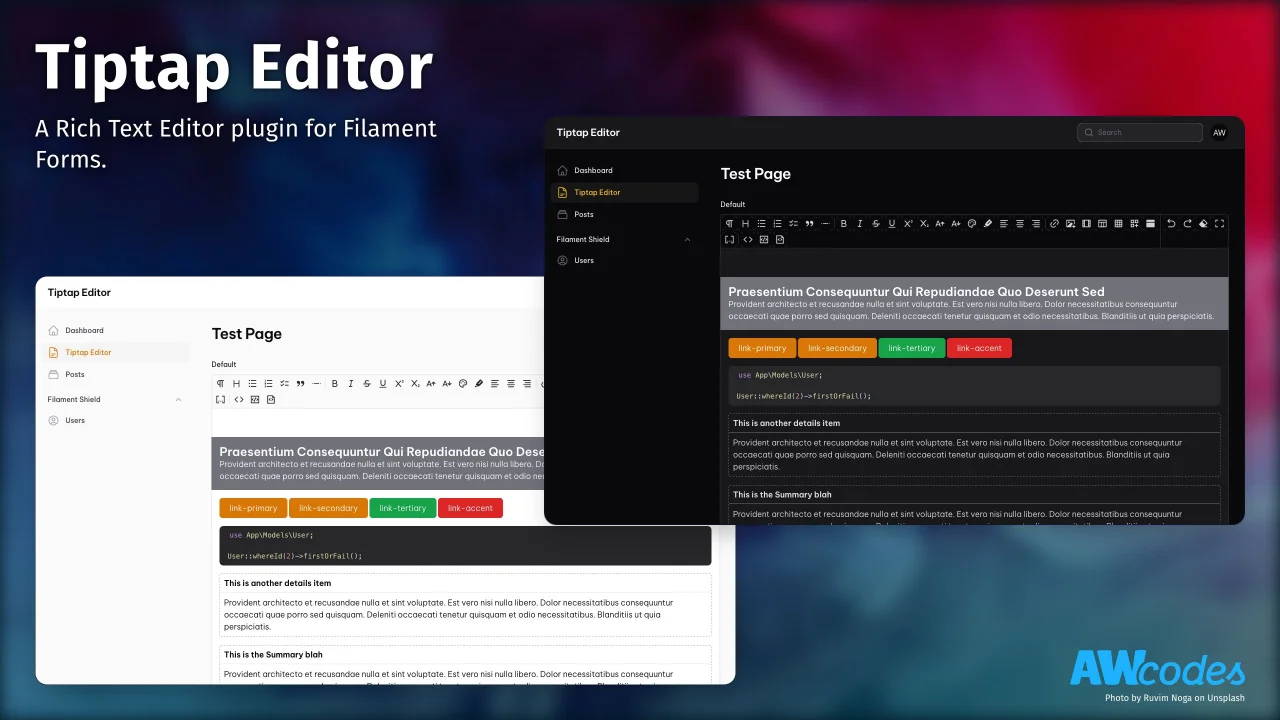
Tiptap Editor
A Rich Text Editor plugin for Filament Forms.
Author:
Adam Weston
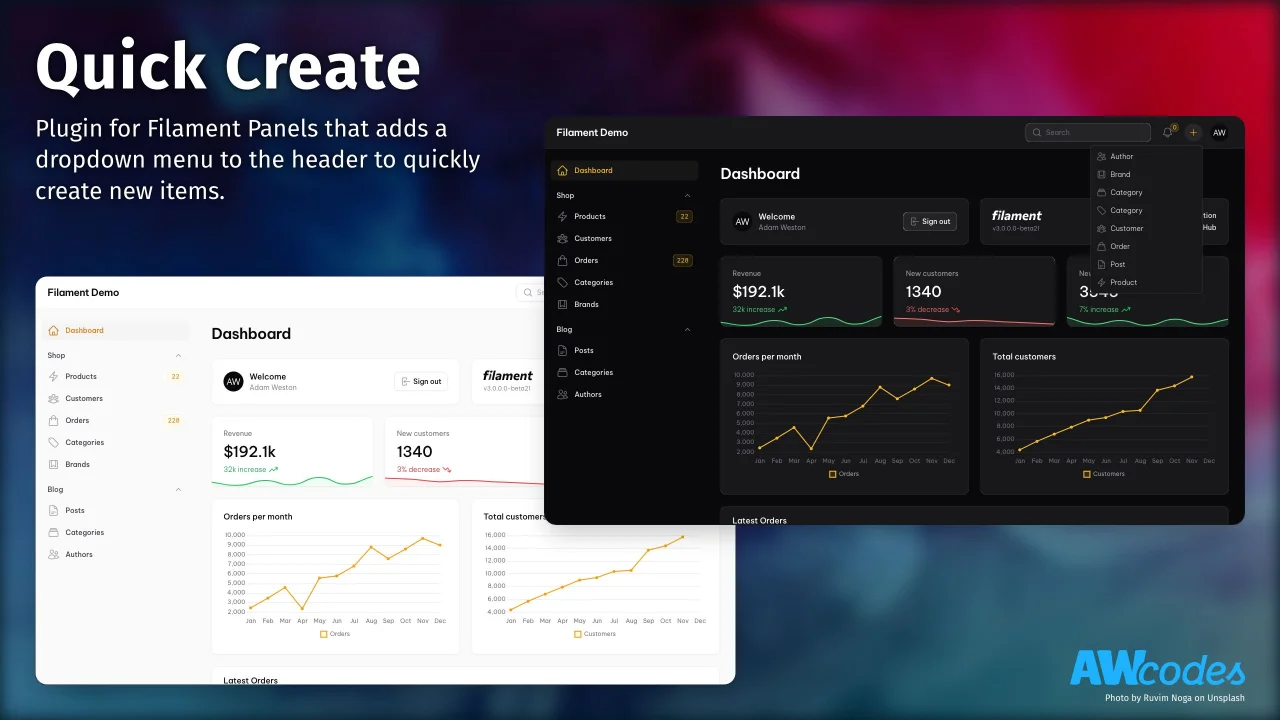
Quick Create
Plugin for Filament Panels that adds a dropdown menu to the header to quickly create new items.
Author:
Adam Weston
Featured Plugins
A selection of plugins curated by the Filament team

Compact Theme
A theme that makes data-heavy panels easier to scan by fitting more useful information on each screen.
 Filament

Blueprint
Filament Blueprint is a premium Laravel Boost extension that helps AI agents produce accurate, detailed implementation plans and security reports for Filament apps.
Filament

Custom Fields
Eliminate custom field migrations forever. Let your users create and manage form fields directly in Filament admin panels with 20+ built-in field types, validation, and zero database changes.
 Relaticle

