
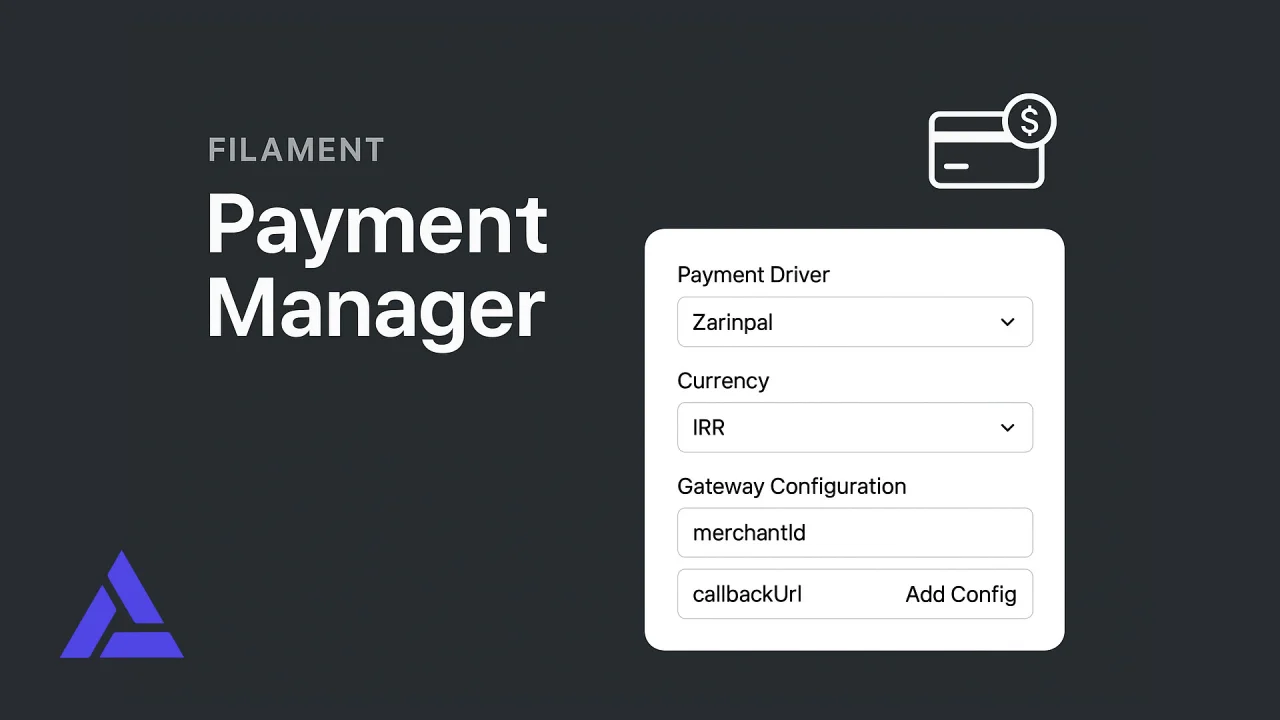
Payment Manager
CommunityManage and configure Shetabit payment gateways directly within Filament Panel.
 Author:
Amid Esfahani
Author:
Amid Esfahani
Package health
BetaAutomated checks of this plugin's Composer package
15 checks
- Skipped: GitHub Actions pinned to SHA
- Skipped: GitLab CI includes pinned to SHA
- Passed: Open security advisories
- Passed: Dependabot PR responsiveness — No open Dependabot PRs.
- Skipped: Renovate MR responsiveness
- Skipped: Dependabot or Renovate configured
- Skipped: Dependency update cooldown configured
- Failed: Provides a security policy — View details on Plumb
- Passed: Abandoned or archived — No consulted source marks the package abandoned (packagist, github).
- Warning: Commit and release recency — Low activity: last commit 226 days ago; last release 226 days ago.
-
Passed:
composer.lock not committed by library
—
composer.lockis absent from the released dist archive. - Passed: Dist archive is lean
- Skipped: Current Laravel version supported
-
Passed:
Current PHP version supported
—
Constraint
^8.1supports current PHP8.5. - Skipped: Current Symfony version supported
filament/
namespace. Review the source and install at your own risk. Found
malware or an unresolved security issue the author won't
address?
Report it
.
Documentation
- Features
- Supported Payment Gateways
- Installation
- Configuration
- Usage
- Gateway Configuration Examples
- Advanced Usage
- API Reference
- Testing
- Troubleshooting
- Contributing
- License
- Credits
- Support
A comprehensive Filament 4 plugin to manage Shetabit Payment gateways with a beautiful admin interface.

#Features
- ✅ Filament 4 Compatible - Built specifically for Filament 4
- 🎨 Beautiful UI - Modern, intuitive interface for managing payment gateways
- 🔌 Multiple Gateways - Support for 30+ payment providers
- ⚙️ Dynamic Configuration - Configure each gateway independently
- 🎯 Default Gateway - Set a default payment gateway
- 🔄 Custom Redirect Forms - Use custom views or HTML templates
- 📊 Gateway Management - Enable/disable, sort, and organize gateways
- 🔐 Secure - Built on top of trusted Shetabit Payment package
#Supported Payment Gateways
- Zarinpal, Saman, PayPal, Stripe
- Parsian, Sadad, Zibal, PayPing
- Behpardakht (Mellat), Pasargad, IranKish
- And 20+ more Iranian and international gateways
#Installation
#Step 1: Install via Composer
composer require amidesfahani/filament-payment-manager
#Step 2: Publish Configuration & Migrations
php artisan vendor:publish --tag="filament-payment-manager-config"
php artisan vendor:publish --tag="filament-payment-manager-migrations"
php artisan vendor:publish --tag="filament-payment-manager-views"
#Step 3: Run Migrations
php artisan migrate
#Step 4: Register Plugin
Add the plugin to your Filament panel in app/Providers/Filament/AdminPanelProvider.php:
use YourVendor\FilamentPaymentManager\FilamentPaymentManagerPlugin;

public function panel(Panel $panel): Panel
{
    return $panel
        // ...
        ->plugins([
            FilamentPaymentManagerPlugin::make(),
        ]);
}
#Configuration
#Environment Variables
Add these to your .env file:
PAYMENT_CALLBACK_URL=https://yourdomain.com/payment/callback
PAYMENT_DEFAULT_CURRENCY=T
PAYMENT_AUTO_LOAD_GATEWAYS=true
PAYMENT_ENABLE_LOGGING=false
#Config File
The config file config/filament-payment-manager.php allows you to customize:
- Default callback URL
- Auto-loading gateways
- Default currency (T=Toman, R=Rial)
- Driver default configurations
- Logging settings
#Usage
#Creating a Payment Gateway
- Navigate to Settings > Payment Gateways in your Filament panel
- Click Create
- Fill in the required fields:
- Name: Display name for the gateway
- Driver: Select payment provider
- Configuration: Add required credentials (merchantId, password, etc.)
- Callback URL: Optional custom callback URL
- Active: Enable/disable the gateway
- Default: Set as default gateway
#Using in Your Application
#Basic Payment Flow
use YourVendor\FilamentPaymentManager\Services\PaymentManagerService;
use Shetabit\Multipay\Invoice;

// Get the service
$paymentManager = app(PaymentManagerService::class);

// Create an invoice
$invoice = new Invoice();
$invoice->amount(10000); // Amount in Toman or Rial

// Create payment (uses default gateway)
$payment = $paymentManager->createPayment($invoice->getAmount());

// Or specify a gateway
$payment = $paymentManager->createPayment($invoice->getAmount(), 'zarinpal');

// Purchase and get transaction ID
try {
    $transactionId = $payment->purchase($invoice, function($driver, $transactionId) {
        // Store transaction ID in your database
    })->pay()->render();

} catch (\Exception $e) {
    // Handle error
}
#Verify Payment (in callback)
use YourVendor\FilamentPaymentManager\Services\PaymentManagerService;
use Shetabit\Payment\Facade\Payment;

public function callback(Request $request)
{
    $paymentManager = app(PaymentManagerService::class);

    try {
        $receipt = $paymentManager->verifyPayment();

        // Payment successful
        $referenceId = $receipt->getReferenceId();

        // Update your order status

        return redirect()->route('payment.success');

    } catch (\Exception $e) {
        // Payment failed
        return redirect()->route('payment.failed');
    }
}
#Get Available Gateways
$paymentManager = app(PaymentManagerService::class);

// Get all active gateways
$gateways = $paymentManager->getActiveGateways();

// Get default gateway
$defaultGateway = $paymentManager->getDefaultGateway();

// Get specific gateway by driver
$gateway = $paymentManager->getGatewayByDriver('zarinpal');
#Custom Redirect Forms
You have three options for redirect forms:
#1. Use Package Default (Recommended)
Beautiful, modern redirect form with countdown timer and animations.
#2. Custom Blade View
Create your own Blade view:
{{-- resources/views/payments/custom-redirect.blade.php --}}
<!DOCTYPE html>
<html>
<head>
    <title>Payment Redirect</title>
</head>
<body>
    <h1>Redirecting to payment...</h1>
    <form method="{{ $method }}" action="{{ $action }}" id="payment-form">
        @foreach($inputs as $name => $value)
            <input type="hidden" name="{{ $name }}" value="{{ $value }}">
        @endforeach
        <button type="submit">Continue</button>
    </form>
    <script>
        document.getElementById('payment-form').submit();
    </script>
</body>
</html>
Then set in gateway: payments.custom-redirect
#3. Custom HTML Template
Use placeholders in your HTML:
<form method="{method}" action="{action}">
    {inputs}
    <button>Pay Now</button>
</form>
<script>document.forms[0].submit();</script>
#Gateway Configuration Examples
#Zarinpal
[
    'merchantId' => 'xxxxxxxx-xxxx-xxxx-xxxx-xxxxxxxxxxxx',
    'callbackUrl' => 'https://yourdomain.com/payment/callback',
    'description' => 'Payment for Order #123',
    'currency' => 'T', // T=Toman, R=Rial
    'mode' => 'normal', // normal, sandbox, zaringate
]
#Saman Bank
[
    'merchantId' => 'your-merchant-id',
    'password' => 'your-password',
    'callbackUrl' => 'https://yourdomain.com/payment/callback',
    'currency' => 'T',
]
#PayPal
[
    'clientId' => 'your-client-id',
    'clientSecret' => 'your-client-secret',
    'callbackUrl' => 'https://yourdomain.com/payment/callback',
    'currency' => 'USD',
    'mode' => 'normal', // normal or sandbox
]
#Stripe
[
    'secret' => 'sk_test_xxxxxxxxxxxxx',
    'currency' => 'usd',
    'success_url' => 'https://yourdomain.com/payment/success',
    'cancel_url' => 'https://yourdomain.com/payment/cancel',
]
#Advanced Usage
#Manual Gateway Loading
If you disable auto-loading in config:
use YourVendor\FilamentPaymentManager\Services\PaymentManagerService;
use YourVendor\FilamentPaymentManager\Models\PaymentGateway;

$paymentManager = app(PaymentManagerService::class);

// Load specific gateway
$gateway = PaymentGateway::where('driver', 'zarinpal')->first();
$paymentManager->registerGateway($gateway);
#Custom Redirect Form Service
use YourVendor\FilamentPaymentManager\Models\PaymentGateway;
use YourVendor\FilamentPaymentManager\Services\PaymentManagerService;

$gateway = PaymentGateway::find(1);
$paymentManager = app(PaymentManagerService::class);

$html = $paymentManager->getRedirectForm(
    $gateway,
    'https://payment.gateway.com/pay',
    'POST',
    ['token' => 'abc123', 'amount' => 10000]
);

return response($html);
#API Reference
#PaymentManagerService Methods
| Method | Description |
|---|---|
createPayment($amount, $driver = null) |
Create a new payment |
verifyPayment($driver = null) |
Verify a payment callback |
getActiveGateways() |
Get all active gateways |
getDefaultGateway() |
Get the default gateway |
getGatewayByDriver($driver) |
Get gateway by driver name |
registerGateway(PaymentGateway $gateway) |
Manually register a gateway |
getRedirectForm($gateway, $action, $method, $inputs) |
Get custom redirect form HTML |
#PaymentGateway Model
| Property | Type | Description |
|---|---|---|
name |
string | Gateway display name |
driver |
string | Payment driver name |
is_active |
boolean | Active status |
is_default |
boolean | Default gateway flag |
config |
array | Gateway configuration |
callback_url |
string | Custom callback URL |
redirect_form_view |
string | Custom Blade view path |
redirect_form_html |
string | Custom HTML template |
sort_order |
integer | Display order |
description |
string | Internal notes |
#Testing
#Using Local Gateway
The package includes a local test gateway:
// In Filament, create a gateway with driver 'local'
// This allows you to test payment flow without real credentials
#Sandbox Mode
Many gateways support sandbox mode:
// Zarinpal
'mode' => 'sandbox'

// PayPal
'mode' => 'sandbox'
#Troubleshooting
#Gateway not working
- Check if gateway is active in admin panel
- Verify all required configuration fields are filled
- Ensure callback URL is accessible
- Check logs if logging is enabled
#Callback URL issues
Make sure your callback URL:
- Is publicly accessible (not localhost in production)
- Matches exactly what you configured in the gateway
- Uses HTTPS in production
#Currency issues
Iranian gateways typically require amounts in Rial, but you can use Toman by setting currency => 'T' in config. The package handles conversion automatically.
#Contributing
Contributions are welcome! Please submit pull requests or issues on GitHub.
#License
This package is open-source software licensed under the MIT license.
#Credits
- Built on Shetabit Payment
- Designed for Filament PHP
#Support
For issues and questions:
- GitHub Issues: [amidesfahani/filament-payment-manager]
The author
Amid is a full-stack web developer (with a focus on Laravel) who has been coding for close to 20 years. You can learn more about Amid on his website.
From the same author

Featured Plugins
A selection of plugins curated by the Filament team

Noir Theme
A theme that gives panels a focused, refined look with near-black surfaces, crisp actions, and restrained color.
 Filament

Spotlight Pro
Browse your Filament Panel with ease. Filament Spotlight Pro adds a Spotlight like Command Palette to your Filament Panel.
 Dennis Koch

Advanced Tables (formerly Filter Sets)
Supercharge your tables with powerful features like user-customizable views, quick filters, multi-column sorting, advanced table searching, convenient view management, and more. Compatible with Resource Panel Tables, Relation Managers, Table Widgets, and Table Builder!
 Kenneth Sese
