Member Management
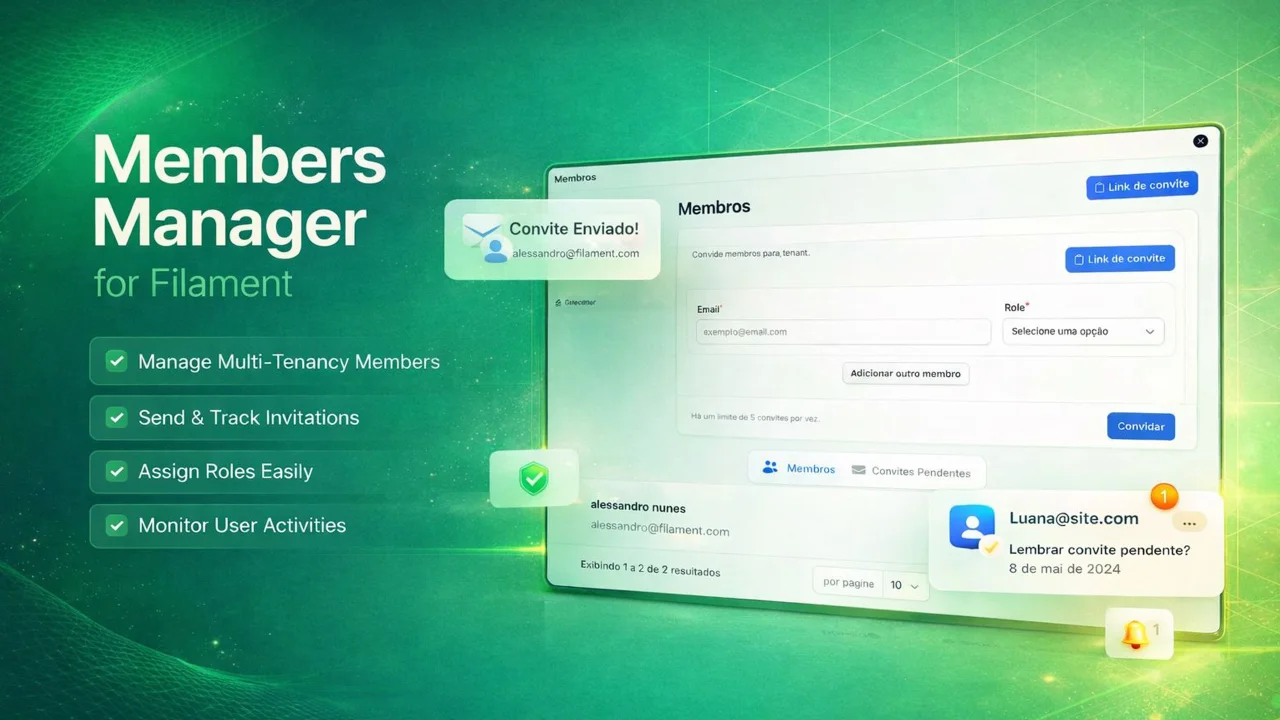
Comprehensive member management with invitations and role-based access control for multi-tenant applications.
 Author:
Alessandro Nuunes
Author:
Alessandro Nuunes
Documentation
- Features
- Requirements
- Installation
- Configuration
- Usage
- Customization
- Translations
- Database Structure
- Events
- Listeners
- Validation Rules
- API
- Contributing
- License
- Author
- Support
- Repository



A comprehensive Filament plugin for managing tenant members, invitations, and role-based access control in multi-tenant applications.
#Features
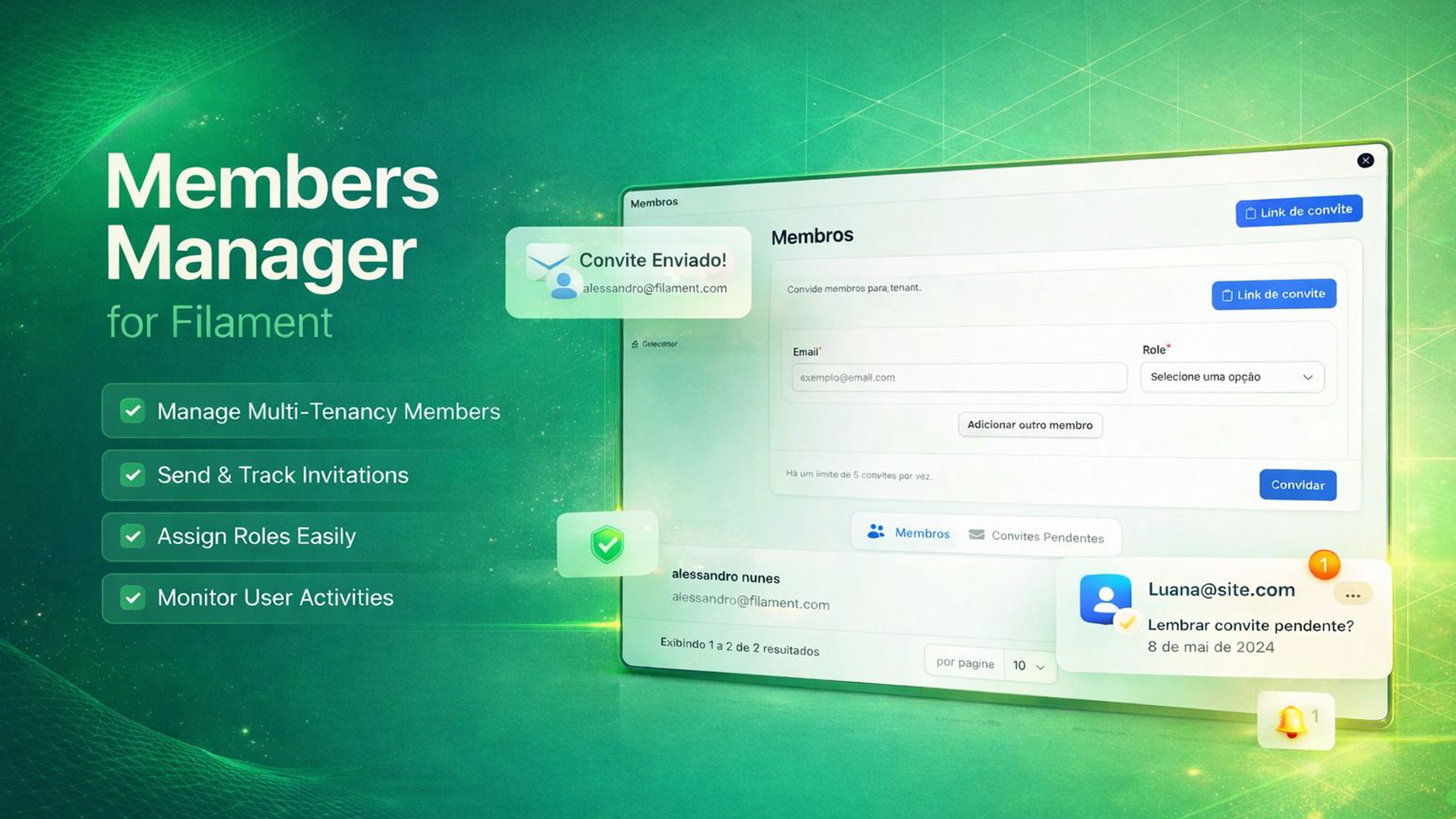
- 🎯 Member Management: Easily manage members within your tenant/organization
- 📧 Invitation System: Send invitations via email or shareable links
- 🔐 Role-Based Access: Built-in support for roles (Owner, Admin, Member)
- 🌐 Multi-language Support: Includes English and Portuguese (Brazil) translations
- ⚙️ Highly Configurable: Customize models, tables, routes, and behavior
- 📱 Responsive UI: Beautiful, modern interface built with Filament
- 🔔 Notifications: Email notifications and in-app notifications for invitations
- ✅ Validation: Prevents duplicate invitations and membership conflicts
#Requirements
- PHP 8.3 or higher
- Laravel 11.x or 12.x
- Filament 4.x or 5.x
#Installation
Install the package via Composer:
composer require alessandronuunes/filament-member
Publish the configuration, migrations, and translations:
php artisan filament-member:install
Or publish them individually:
php artisan vendor:publish --tag=filament-member-config
php artisan vendor:publish --tag=filament-member-migrations
php artisan vendor:publish --tag=filament-member-translations
Run the migrations:
php artisan migrate
Then complete the setup by configuring your User model and registering the plugin.
#Configuration
#Register the Plugin
Add the plugin to your Filament panel configuration:
use AlessandroNuunes\FilamentMember\MemberPlugin;

public function panel(Panel $panel): Panel
{
    return $panel
        ->plugins([
            MemberPlugin::make(),
        ]);
}
#User Model (Required)
The plugin enables Filament tenancy on your panel. Filament will call getTenants(Panel $panel) on your User model to resolve which tenants the user can access. Your User model must implement this.
Add the HasTenantRelations trait and the HasTenants contract to your User model:
use Filament\Models\Contracts\FilamentUser;
use Filament\Models\Contracts\HasTenants;
use Filament\Panel;
use AlessandroNuunes\FilamentMember\Traits\HasTenantRelations;
use Illuminate\Support\Collection;

class User extends Authenticatable implements FilamentUser, HasTenants
{
    use HasTenantRelations;

    // ...
}
The trait provides:
getTenants(Panel $panel): Collection— tenants the user owns plus tenants they are a member ofcanAccessTenant(Model $tenant): bool— required by Filament for tenancytenants()— relationship for tenants owned by the usermemberTenants()— relationship for tenants where the user is a member
If your app uses a different tenant model (e.g. Organization), set it in config/filament-member.php under models.tenant. The trait uses that configuration for relationships and table names.
#Customize Configuration
Edit config/filament-member.php to customize:
- Models: Change the User, Tenant, and TenantInvite models
- Enums: Set a custom tenant role enum
- Tables: Customize database table names and relationship columns
- Tenancy: Filament tenancy (slug, ownership, route prefix)
- Routes: Invitation accept path, name, and middleware
- Invites: Default role, expiration days, require registration
- Notifications: Send invite email, queue, from address
- Validation: Require role on invite
#Usage
#Managing Members
Once installed, a "Members" page will be available in your Filament panel navigation. From there you can:
- Invite Members: Add up to 5 email addresses at once with assigned roles
- View Members: See all current members with their roles and join dates
- Manage Roles: Change member roles (Owner, Admin, Member)
- Remove Members: Remove members from the organization
- View Pending Invitations: See all pending invitations and resend or cancel them
#Invitation Flow
-
Send Invitation:
- Individual invitations: Send to specific email addresses
- Generic invitations: Generate a shareable link that anyone can use
-
Accept Invitation:
- New users: Create an account and automatically join
- Existing users: Login and automatically accept the invitation
-
Notifications:
- Email notifications sent to invited users
- In-app notifications for existing users
#Roles
The plugin includes three default roles:
- Owner: Full control, cannot be removed or have role changed
- Admin: Can invite and remove members
- Member: Basic access
You can customize these roles by modifying the TenantRole enum.
#Customization
#Custom Models
Update the model classes in config/filament-member.php:
'models' => [
    'user' => App\Models\User::class,
    'tenant' => App\Models\Organization::class,
    'tenant_invite' => App\Models\Invitation::class,
],
#Custom Roles
Use your own role enum by setting it in config/filament-member.php:
'enums' => [
    'tenant_role' => App\Enums\TenantRole::class,
],
Your enum should use string backing values (e.g. owner, admin, member) and implement Filament's HasLabel and HasColor for the admin UI. To add or change roles, define cases in your enum (e.g. case Moderator = 'moderator';).
#Custom Routes
Change the invitation acceptance route in config/filament-member.php:
'routes' => [
    'invite_accept_path' => '/invite/{token}/accept',
    'invite_accept_name' => 'invite.accept',
    'invite_accept_middleware' => ['signed'],
],
#Theme / Styling
If the theme file does not exist yet (e.g. resources/css/filament/admin/theme.css), create it by running:
php artisan make:filament-theme admin
You can specify your panel name if different. See the Filament documentation on creating a custom theme for details.
For the plugin styles to work correctly in your Filament panel, add the @source directive to your theme file (e.g. resources/css/filament/admin/theme.css):
@source '../../../../vendor/alessandronuunes/filament-member/resources/views/filament/**/*';
This ensures Tailwind scans the plugin's Blade views and generates the required CSS classes.
#Custom Views
To override the plugin views, copy the Blade files from vendor/alessandronuunes/filament-member/resources/views to your project (e.g. resources/views/vendor/filament-member) and edit them. Your copies will take precedence over the package views.
#Translations
The plugin includes translations for:
- English (
en) - Portuguese - Brazil (
pt_BR)
To add more languages, publish the translations and add your language files:
php artisan vendor:publish --tag=filament-member-translations
After publishing, translation files are located in lang/vendor/filament-member/{locale}/default.php.
#Database Structure
The plugin creates three tables:
#tenants
iduser_id(owner)namesluginvitation_token(nullable, for generic invite links)statustimestamps
#tenant_user (pivot table)
idtenant_iduser_idroletimestamps
#tenant_invites
idtenant_iduser_id(inviter)emailtokenroleexpires_ataccepted_attimestamps
#Events
The plugin dispatches the following events:
TenantInviteCreated: Fired when a new invitation is created
#Listeners
SendTenantInviteNotification: Sends email and in-app notificationsAcceptPendingInviteAfterLogin: Automatically accepts pending invitations after login
#Validation Rules
AlreadyMember: Prevents inviting users who are already members
#API
#ConfigHelper
Use the ConfigHelper class to access configuration values:
use AlessandroNuunes\FilamentMember\Support\ConfigHelper;

$userModel = ConfigHelper::getUserModel();
$tenantModel = ConfigHelper::getTenantModel();
$defaultRole = ConfigHelper::getInviteConfig('default_role');
#Contributing
Contributions are welcome! Please feel free to submit a Pull Request.
#License
This package is open-sourced software licensed under the MIT license.
#Author
Alessandro Nuunes
- Email: alessandronuunes@gmail.com
#Support
For issues, questions, or contributions, please open an issue on the GitHub repository.
#Repository
- GitHub: https://github.com/alessandronuunes/filament-members
- Issues: Report a bug or request a feature
- Pull Requests: Contribute to the project
The author
Laravel developer specializing in multi-tenant SaaS applications and Filament plugins. Passionate about building scalable solutions and intuitive interfaces for member and permission management in complex systems.
Featured Plugins
A selection of plugins curated by the Filament team

Custom Dashboards
Let your users build and share their own dashboards with a drag-and-drop interface. Define your data sources in PHP and let them do the rest.
 Filament

Data Lens
Advanced Data Visualization for Laravel Filament - a premium reporting solution enabling custom column creation, sophisticated filtering, and enterprise-grade data insights within admin panels.
 Padmission

Advanced Tables (formerly Filter Sets)
Supercharge your tables with powerful features like user-customizable views, quick filters, multi-column sorting, advanced table searching, convenient view management, and more. Compatible with Resource Panel Tables, Relation Managers, Table Widgets, and Table Builder!
 Kenneth Sese

