Log Viewer
CommunityA developer-focused Laravel log viewer with stack trace inspection, built for Filament.
 Author:
Achyut Neupane
Author:
Achyut Neupane
Package health
BetaAutomated checks of this plugin's Composer package
15 checks
- Failed: GitHub Actions pinned to SHA — View details on Plumb
- Skipped: GitLab CI includes pinned to SHA
- Passed: Open security advisories
- Passed: Dependabot PR responsiveness — No open Dependabot PRs.
- Skipped: Renovate MR responsiveness
- Failed: Dependabot or Renovate configured — No dependency updater configuration found. View details on Plumb
- Skipped: Dependency update cooldown configured
- Failed: Provides a security policy — View details on Plumb
- Passed: Abandoned or archived — No consulted source marks the package abandoned (packagist, github).
- Passed: Commit and release recency — Active: last commit 0 days ago; last release 110 days ago.
-
Passed:
composer.lock not committed by library
—
composer.lockis absent from the released dist archive. - Passed: Dist archive is lean
-
Passed:
Current Laravel version supported
—
Package dependencies resolve together with current Laravel
13.0. -
Passed:
Current PHP version supported
—
Constraint
>=8.2supports current PHP8.5. - Skipped: Current Symfony version supported
filament/
namespace. Review the source and install at your own risk. Found
malware or an unresolved security issue the author won't
address?
Report it
.
Documentation
- Installation
- Usage
- Extending
- Localization
- Filament Compatibility
- License
- Changelog
- Contributing
- Support




A Filament plugin to read and display Laravel log files in a clean, searchable table with stack traces and filtering.
Refer to version compatibility table below to ensure you are using the correct version of this package with your Filament installation.
#Installation
composer require achyutn/filament-log-viewer
Register the plugin inside your Filament panel:
use AchyutN\FilamentLogViewer\FilamentLogViewer;

return $panel
    ->plugins([
        FilamentLogViewer::make(),
    ]);
#Laravel Boost Integration
This package provides a Laravel Boost skill for AI-assisted development. When you install Laravel Boost in your project, the skill will be automatically discovered and made available to AI agents.
See Laravel Boost documentation for more details.
#Usage
After installation, visit /logs in your Filament panel. You will see a table of log entries.
#Configuration
You can configure the maximum file size limit for log files to be loaded and displayed. This helps prevent performance issues with very large log files.
The default file size limit is set to 2 MB. To override these settings, you can set environment variables in your .env file:
LOG_MAX_SIZE_KB=20480
LOG_ENABLE_DELETE=false
LOG_TRUNCATE_ON_CLEAR=true
LOG_ENABLE_COPY_MARKDOWN=false
LOG_COPY_MARKDOWN_LEVELS=error,warning
LOG_DISABLE_CACHE=false
- Set
LOG_MAX_SIZE_KBto the maximum log file size in kilobytes (e.g.,20480for 20 MB). - Set
LOG_ENABLE_DELETE=falsein production to disable the Clear Logs button and protect log files from accidental deletion. - Set
LOG_TRUNCATE_ON_CLEAR=falseto delete log files entirely when clearing instead of truncating their contents. Defaults totrue(truncate). - Set
LOG_ENABLE_COPY_MARKDOWN=falseto disable the Copy as Markdown button. - Set
LOG_COPY_MARKDOWN_LEVELSto comma-separated list of log levels that show the copy button (e.g.,error,warningor justerror). - Set
LOG_DISABLE_CACHE=trueto skip caching parsed log rows between requests.
Or, you can publish the configuration file and update the max_log_file_size value as needed:
php artisan vendor:publish --tag=filament-log-viewer-config
Then, in your published config/filament-log-viewer.php file:
return [
    // Set max file size to 20 MB
    'max_log_file_size' => env('LOG_MAX_SIZE_KB', 20480),

    // Disable deleting logs from the UI
    'enable_delete' => env('LOG_ENABLE_DELETE', false),

    // Truncate log contents on clear (false to delete the files entirely)
    'truncate_on_clear' => env('LOG_TRUNCATE_ON_CLEAR', true),

    // Disable copying logs as markdown
    'enable_copy_markdown' => env('LOG_ENABLE_COPY_MARKDOWN', true),

    // Show copy button for these log levels (comma-separated)
    'copy_markdown_levels' => explode(',', env('LOG_COPY_MARKDOWN_LEVELS', 'error')),

    // Skip caching parsed log rows between requests
    'disable_cache' => env('LOG_DISABLE_CACHE', false),
];
#Caching
Parsed log rows are cached between requests using Laravel's cache. The cache is keyed by a fingerprint of the log files (name, size, and modification time), so it invalidates automatically whenever a log file changes — no TTL or manual flush is needed. The rows are stored under a single cache key to avoid accumulating stale entries. Set disable_cache to true to disable the cache entirely.
#Table Columns
- Log Level – Badge with color mapped from log level
- Environment (Toggleable) – Application environment (
local,production, etc.) - File (Toggleable) – Log file name (e.g.,
laravel.log) - Message – Short summary of the log
- Occurred – Human-readable date/time
- Copy as Markdown – Action to copy log details in a clean Markdown format.
Click the view action to inspect stack traces.
#Mail Preview
If your logs contain mail messages, you can preview them directly from the table. You can click on Mail tab which is visible only if mail are present.
#Clear Logs
The Clear Logs button clears every log file. When multiple log files exist, a chevron icon button next to it opens a dropdown listing each file — select one to clear just that file, leaving the others intact. The per-file dropdown is hidden when only one log file exists, and both controls are hidden when enable_delete is false.
By default, clearing truncates the log file's contents, preserving the file itself. Set truncate_on_clear to false (or LOG_TRUNCATE_ON_CLEAR=false) to delete the log files entirely instead.
#Filters
#Log Levels
You can filter the logs according to log level. The filters are available as tabs above the table:
#Date
You can filter logs by date using the date picker in the top right corner of the table. This allows you to select a specific date range to view logs.
#Toggle Columns
You can toggle the visibility of the Environment and File columns by clicking the eye icon in the top right corner of the table.
#Authorization
You can make a boolean check to authorize the log viewer. It will be helpful if you want to show/hide the log viewer for certain cases.
#Example
You simply return a boolean or Closure which evaluates to a boolean.
FilamentLogViewer::make()
    ->authorize(true);

// or

FilamentLogViewer::make()
    ->authorize(fn (): bool => auth()->user()->is_admin);
If you are using filament-sheild or any other external services for authorization, you can use a Closure with permission check:
FilamentLogViewer::make()
    ->authorize(fn (): bool => auth()->check() && auth()->user()->can('View:LogTable'));
#Extending
You can customize navigation label, icon, sort, etc. using:
use AchyutN\FilamentLogViewer\FilamentLogViewer;

FilamentLogViewer::make()
    ->authorize(fn () => auth()->check())
    ->registerNavigation(true)
    ->navigationGroup('System')
    ->navigationIcon('heroicon-o-document-text')
    ->navigationLabel('Log Viewer')
    ->navigationSort(10)
    ->navigationUrl('/logs')
    ->pollingTime(null); // Set to null to disable polling
Set ->registerNavigation(false) if you want to hide Log Viewer from the sidebar while still linking to it directly (for example, from a custom dashboard action).
#Swapping Components
Every component is replaceable through the plugin — either by implementing its contract interface or by extending the default implementation:
| Plugin method | Contract | Default |
|---|---|---|
pageClass() |
LogViewerPage (extends HasTable) |
LogTable |
providerClass() |
LogProvider |
LocalLogProvider |
parserClass() |
LogParser |
FileLogParser |
mailParserClass() |
MailParser |
DefaultMailParser |
stackTraceParserClass() |
StackTraceParser |
DefaultStackTraceParser |
tableSchemaClass() |
LogTableSchemaInterface |
LogTableSchema |
errorSchemaClass() |
LogEntrySchemaInterface |
ErrorLogSchema |
jsonSchemaClass() |
LogEntrySchemaInterface |
JSONLogSchema |
mailSchemaClass() |
LogEntrySchemaInterface |
MailLogSchema |
copyMarkdownActionClass() |
Filament\Actions\Action |
CopyMarkdownAction |
dateRangeFilterClass() |
— | DateRangeFilter |
fileFilterClass() |
— | FileFilter |
Providers may additionally implement
CanDeleteLogs(deleteAll(),deleteFile()). The Clear Logs and per-file clear controls only render when the bound provider implements it.
Defaults are non-final withprotectedextension points, so you can swap in a fully custom implementation or extend a default and override a single behavior:
use AchyutN\FilamentLogViewer\Contracts\LogProvider;
use AchyutN\FilamentLogViewer\FilamentLogViewer;
use AchyutN\FilamentLogViewer\Providers\LocalLogProvider;

class CloudLogProvider extends LocalLogProvider implements LogProvider
{
    protected function getAllLogFiles(): array
    {
        return ['cloud.log', 'scheduler.log'];
    }
}

FilamentLogViewer::make()
    ->providerClass(CloudLogProvider::class)
    ->parserClass(MyParser::class)          // implements LogParser or extends FileLogParser
    ->errorSchemaClass(MyErrorSchema::class);
Overrides are resolved through Laravel's service container, so constructor dependencies are auto-wired. Because the plugin is registered as a container singleton, the provider and parser classes apply app-wide rather than per-panel.
Backward compatibility: The
AchyutN\FilamentLogViewer\Model\Logclass remains as a static facade that delegates to the container-resolvedLogProvider. Existing calls such asLog::getRows(),Log::getLogCount(), orLog::getAllLogFiles()keep working unchanged. New code should use theLogProvidercontract (or aproviderClass()override) directly instead of the facade.
#Localization
Filament Log Viewer includes built-in translations for:
- English
- Arabic
- German
- Spanish
- Persian
- French
- Hebrew
- Italian
- Portuguese (Portugal)
- Portuguese (Brazil)
- Russian
Translations are applied automatically based on your application's current locale.
Missing your language? Feel free to submit a PR to add it!
#Filament Compatibility
| Version | Filament Version |
|---|---|
^2.x |
Filament v5 |
^1.x |
Filament v4 |
^0.x |
Filament v3 |
Make sure you're using the appropriate version of this package for your Filament installation.
#License
This package is open-sourced software licensed under the MIT license.
#Changelog
See the CHANGELOG for details on changes made in each version.
#Contributing
Contributions are welcome! Please create a pull request or open an issue if you find any bugs or have feature requests.
#Support
If you find this package useful, please consider starring the repository on GitHub to show your support.
The author
Achyut is a full-stack web developer from Nepal, passionate about building developer-first tools and clean user interfaces. He has over 6 years of experience in Laravel and over 4 years in React, and actively contributes to the Laravel and Filament ecosystem.
From the same author
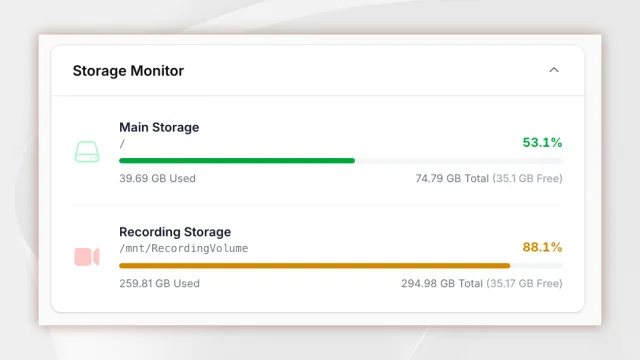
Storage Monitor
This package provides a dashboard widget that displays disk usage with support for multiple partitions.
Author:
Achyut Neupane
FLIRT Kit
The starter kit for the Laravel framework with RILT stack and Filament v4 as Admin Panel.
Author:
Achyut Neupane
Featured Plugins
A selection of plugins curated by the Filament team

Blueprint
Filament Blueprint is a premium Laravel Boost extension that helps AI agents produce accurate, detailed implementation plans and security reports for Filament apps.
 Filament

Custom Fields
Eliminate custom field migrations forever. Let your users create and manage form fields directly in Filament admin panels with 20+ built-in field types, validation, and zero database changes.
 Relaticle

Custom Dashboards
Let your users build and share their own dashboards with a drag-and-drop interface. Define your data sources in PHP and let them do the rest.
Filament

